TL;DR

Get home appliances delivered free with Prime
- Fast, free delivery on millions of items
- Prime Video, Amazon Music and more included
- Member-only deals all year
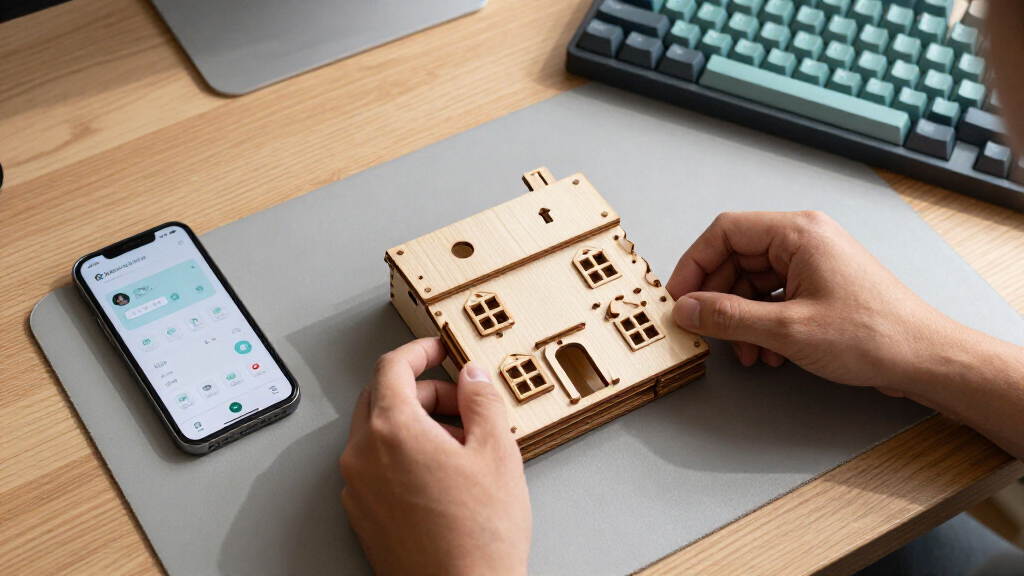
Anton Frolov commissioned an illustrator to draw his home and turned the artwork into an interactive Home Assistant dashboard. The setup uses a floor-plan illustration as a background, with device images and status information layered over it; the source report describes the project but does not provide cost, artist details or broad user feedback.
Anton Frolov commissioned an illustrator to draw his house and turned the artwork into an interactive dashboard for Home Assistant, the open-source smart-home platform. The illustrated interface shows household devices and their states, giving his family a visual alternative to the dashboard they had been reluctant to use.
Frolov says he had been automating his home with Home Assistant for about a year. Many routines worked automatically: air conditioners switched off when everyone left, while a garden sprinkler adjusted its run time according to weather and skipped watering when it rained. Some controls still required a person, including the garden lights, which were controlled through an app.
In his account, a Home Assistant timer switches the garden lights off after a set period. As the timer nears its end, the lights blink to give someone time to open the app and extend it. Frolov said other people in his household did not want to use the app or his earlier dashboard. A physical switch was an option, he wrote, but it would not address every control need; starting a sprinkler at the device could also leave someone scrambling to avoid getting wet.
Frolov considered floor-plan dashboards, including 3D and pixel-art designs, before commissioning an environment artist whose portfolio focused on illustrated spaces. He supplied an architectural plan, room photographs, visual references and a technical brief. For the artwork, he requested separate day and night versions, device images in distinct states, and files aligned to a shared canvas so the pieces would fit together without manual repositioning.
A More Approachable Smart-Home Interface
The project addresses a familiar smart-home problem: automation does not remove every need for manual control, and a system is less useful to a household if only one person is comfortable operating it. Frolov’s account presents the illustrated dashboard as an effort to make the controls more inviting to his family, rather than as a change to the underlying automation.
It also shows how a Home Assistant interface can rely on custom artwork instead of a conventional control panel. The illustration supplies the visual setting, while device states and readings remain interactive elements. That approach may appeal to users who want a household-specific interface, though the report does not establish how widely it would work for other homes or users.
The process also shifts much of the effort from coding to planning and illustration. Frolov wrote that finding an artist, preparing references and agreeing on technical requirements accounted for much of the project. For readers considering a similar build, the report’s practical point is that asset preparation and consistent file layouts can matter as much as the dashboard configuration.
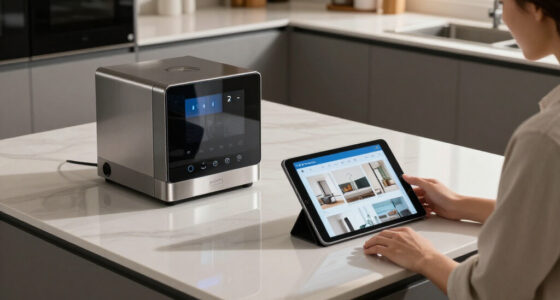
custom house floor plan smart home dashboard
As an affiliate, we earn on qualifying purchases.
As an affiliate, we earn on qualifying purchases.
From Automation to an Illustrated Plan
Home Assistant is an open-source platform for connecting and controlling smart-home devices. Frolov’s project grew from a limitation in his existing setup: automated routines handled some tasks, but the family still needed an accessible way to control devices such as garden lights. The issue was not simply whether controls existed; it was whether household members wanted to use the interface.
Frolov explored floor-plan interfaces because they map controls onto a representation of the home. He found 3D examples in custom Home Assistant cards and third-party modelling tools, as well as a pixel-art approach. He said the 3D examples he reviewed often used a static model with interactive icons layered on top, while pixel art could require drawing objects or arranging sprites individually. He chose an illustrator whose existing work with room environments suited the project.
For implementation, Frolov said he used Home Assistant’s built-in picture-elements card. The house illustration serves as the background; images, icons, labels and conditional elements are positioned over it. He described using state-dependent images so a device can display one image when off and an animated version when on. The supplied report excerpt ends during its explanation of this setup, so it does not document every implementation detail.
interactive smart home device display
As an affiliate, we earn on qualifying purchases.
As an affiliate, we earn on qualifying purchases.
Costs, Artist and Results Not Detailed
The source material does not identify the illustrator, state the commission’s cost or completion timeline, or quantify how much the household now uses the dashboard. Frolov says his family enjoys using it, but the report does not give interviews or other independent evidence about that response.
The available account also does not establish whether the dashboard was shared as a reusable template, whether the artwork or configuration is publicly available, or how the setup performs across different Home Assistant installations. It describes the picture-elements approach and some asset requirements, but the supplied text cuts off before the implementation explanation is complete.
As an affiliate, we earn on qualifying purchases.
Further Build Details Remain Open
The source material does not announce a launch date, planned update or next project milestone. Frolov’s report offers a description of his build and advice on preparing artwork, including asking for transparent PNGs, animated WebP files where needed, day and night versions, and device assets aligned to a shared canvas.
Readers seeking the complete technical instructions would need to consult Frolov’s original report. The account provided here does not confirm whether he plans to publish the full Home Assistant configuration, release the illustration files, or report further results from family use.
smart home control panel with custom artwork
As an affiliate, we earn on qualifying purchases.
As an affiliate, we earn on qualifying purchases.
Key Questions
What did Anton Frolov build?
He used a commissioned illustration of his house as the background for an interactive Home Assistant dashboard, with images and status elements layered over the artwork.
Why did he commission an illustrator?
Frolov said his family did not want to use his earlier dashboard or the Home Assistant app. He sought a more appealing visual interface for controls that still needed manual input, including the garden lights.
How does the illustrated dashboard work?
According to Frolov, it uses Home Assistant’s picture-elements card. The house image sits behind interactive elements such as device images, icons and status labels; images can change according to a device’s state.
What artwork files did Frolov request?
He asked for transparent PNGs, day and night versions, and separate device images for off and on states. He recommended that every asset use the same canvas dimensions and position, and said animated WebP files could avoid a later conversion step.
Is the dashboard available for others to install?
The source material does not say whether Frolov released the artwork or configuration as a downloadable template. It describes his project but does not confirm public availability.
Source: hn
NFL season / tailgating Picks
team gear
As an affiliate, we earn on qualifying purchases.