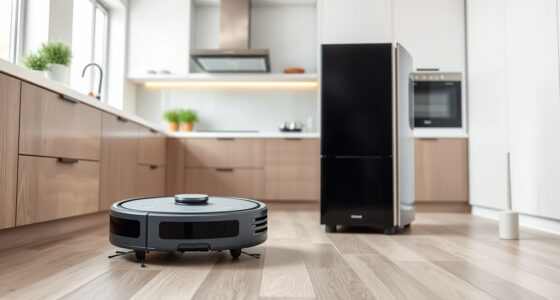
Maintaining your Roborock Q7 M5+ Robot Vacuum and Mop is essential for optimal performance and longevity. Regular upkeep prevents common issues, ensures thorough cleaning, and extends the life of your device. Whether you’re a new owner or looking to optimize your cleaning routine, this detailed guide covers all the practical steps, troubleshooting tips, and safety precautions you need.

Get home appliances delivered free — and shop member deals
- Fast, free delivery on millions of items
- Access to Prime Big Deal Days deals on October 6–7
- Prime Video, Amazon Music and more included
From cleaning brushes and filters to managing the dustbin and navigation system, proper maintenance is straightforward when you follow these clear, step-by-step instructions. Let’s dive into the essential routines and tips to keep your Roborock performing at its best.
Key Takeaways
| Routine Cleaning | Regularly clean brushes, filters, and sensors to maintain suction and navigation. |
| Filter Maintenance | Wash or replace filters every 1-3 months for optimal air quality and performance. |
| Dustbin Care | Empty and clean the dustbin frequently, especially after extended use. |
| Navigation System | Keep LiDAR sensors and charging contacts clean for accurate navigation. |
| Troubleshooting | Identify common issues like stuck brushes or sensor errors and resolve them promptly. |
Preparing for Maintenance
- Unplug the robot and turn off the power to prevent accidental activation.
- Remove the dustbin and empty it into a trash bag, then clean it with a damp cloth if needed.
- Gather necessary tools: a soft brush, microfiber cloth, replacement filters (if applicable), and cleaning tools provided with the robot.
Cleaning and Replacing Brushes
- Detach the main brush from the bottom of the robot following the manufacturer’s instructions.
- Remove hair, string, and debris from the brush and its bearings using a soft brush or your fingers.
- Inspect the dual anti-tangle system and side brushes for tangles or damage; clean or replace as needed.
- Reinstall the brushes securely, ensuring they are properly aligned.
Maintaining Filters and Sensors
- Remove the HEPA filter from the dustbin or filter compartment.
- Wash the filter gently with water if it’s washable (as indicated by the product specifications), then let it air dry completely before reinstalling.
- If the filter is not washable or shows signs of wear, replace it with a new one, such as the 4-pack washable filter compatible with your model.
- Clean the LiDAR sensor and charging contacts with a dry microfiber cloth to ensure optimal navigation and charging performance.
Checking and Emptying the Dustbin
Regularly empty the 2.7L sealed dust bag after each cleaning cycle or when full. For thorough cleaning, wipe the dustbin with a damp cloth and dry it before reinserting. This prevents dust buildup and maintains suction power.
Troubleshooting Common Issues
- If the robot gets stuck or doesn’t navigate correctly, clean the sensors and check for obstructions in the wheels or brushes.
- In case of poor suction, inspect the filter and dustbin for clogs, and replace filters if necessary.
- For connectivity issues, ensure the robot is within range of your app and reset the Wi-Fi connection if needed.
The Products in This Guide

roborock Q7 M5+ Robot Vacuum and Mop
- ✔ Max Runtime: up to 9 weeks
- ✔ Suction Power: 10,000Pa
- ✔ Dust Capacity: 2.7L

4 Pack Washable Filter
- ✔ Pack Size: 4 filters
- ✔ Compatibility: Multiple Roborock models
- ✔ Washable: Yes
roborock Q7 M5+ Robot Vacuum and Mop
The Roborock Q7 M5+ Robot Vacuum and Mop combines powerful suction up to 10,000Pa with a smart navigation system, making it ideal for pet hair, deep carpets, and hard floors. Its self-emptying dustbin reduces maintenance frequency, while the dual anti-tangle system handles pet hair efficiently. Suitable for busy households, it offers up to 7-9 weeks of hands-free cleaning.
Pros:
- Powerful 10,000Pa suction
- Self-emptying 2.7L dust bag
- PreciSense LiDAR Navigation
- Dual anti-tangle system
Cons:
- Higher price point
- Requires regular filter cleaning
- Less effective on very thick carpets
Best for: Pet owners, large homes, busy households needing regular deep cleaning
Not ideal for: Light cleaning needs or small apartments with minimal pet hair
Bottom line: A robust, high-capacity robot vacuum ideal for pet households and extensive cleaning needs.
4 Pack Washable Filter
This 4-pack of washable filters is compatible with multiple Roborock models, including Q7 and Q5 series. They offer effective filtration, maintaining air quality and suction power without frequent replacements. Easy to install, these filters are a cost-effective way to keep your vacuum performing at its best.
Pros:
- Washable and reusable
- Compatible with many models
- High filtration efficiency
- Long-lasting filters
Cons:
- Must be fully dry before reuse
- Not OEM, but highly effective
Best for: Prolonged maintenance savings, allergy sufferers, eco-conscious users
Not ideal for: If you prefer OEM filters or quick replacements
Bottom line: A cost-effective, eco-friendly upgrade for maintaining optimal air quality.
Frequently Asked Questions
How often should I clean the brushes?
It’s recommended to clean the brushes at least once every 1-2 weeks, especially if you have pets, to prevent tangling and maintain suction.
Can I wash the filters?
Yes, the washable filters can be rinsed with water, but ensure they are completely dry before reinstalling to avoid damage or mold.
What should I do if my Roborock is not charging?
Clean the charging contacts with a dry microfiber cloth, ensure the robot is properly aligned on the dock, and check for any obstructions in the charging port.
How do I reset my Roborock if it’s stuck or unresponsive?
Press and hold the power button for 10 seconds or perform a factory reset via the app settings. Rebooting often resolves minor glitches.
Is it safe to run maintenance while the robot is powered on?
No, always turn off and unplug the robot before performing any maintenance to avoid injury or damage.
Keep Your Roborock Running Like New with Routine Care
Regular maintenance is key to ensuring your Roborock Q7 M5+ performs optimally for years to come. By following the cleaning, filter replacement, and troubleshooting steps outlined here, you can prevent common issues and enjoy consistently clean floors. Remember, a little regular upkeep goes a long way in maximizing your robot’s lifespan and cleaning efficiency.
Affiliate disclosure: As an Amazon Associate we earn from qualifying purchases. Prices and availability are accurate as of the time of publishing.
NFL season / tailgating Picks
team gear
As an affiliate, we earn on qualifying purchases.