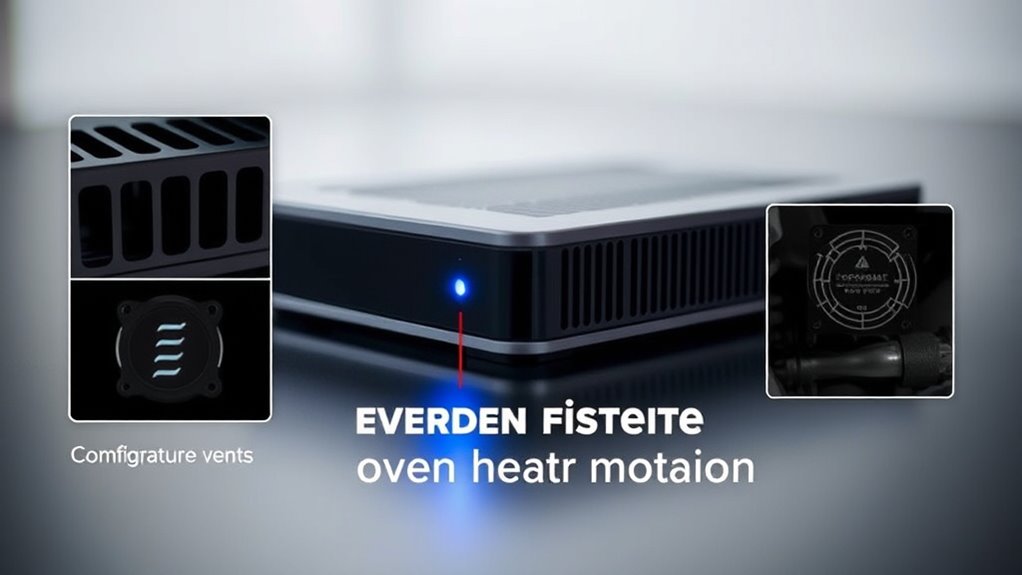

Overheat protection features keep your devices safe by monitoring temperature levels and activating safety measures when they get too hot. Common tools include thermal shutdown, which powers down your device if it overheats, and fan control systems that increase cooling during high temperatures. These layered protections work together to prevent damage and extend your device’s lifespan. To learn more about how these features operate and protect your equipment, keep exploring the details behind overheat prevention.

Get home appliances delivered free — and shop member deals
- Fast, free delivery on millions of items
- Access to Prime Big Deal Days deals on October 6–7
- Prime Video, Amazon Music and more included
Key Takeaways
- Overheat protection prevents device damage by automatically shutting down or reducing performance when temperatures exceed safe limits.
- Thermal shutdown acts as a last resort by powerfully turning off devices to avoid component damage during critical heat levels.
- Fan control adjusts airflow proactively, increasing cooling during high temperatures and conserving energy when safe.
- These features work together, with fan control preventing overheating and thermal shutdown providing an emergency safety net.
- Regular maintenance like cleaning fans and vents enhances the effectiveness of overheat protection systems.
Have you ever wondered how your electronic devices prevent damage from overheating? Many gadgets and machines are equipped with overheat protection features designed to keep them safe. Two common mechanisms you’ll find are thermal shutdown and fan control. These features work together to guarantee your device doesn’t reach dangerous temperatures that could cause permanent damage or pose safety risks.
Thermal shutdown is a critical safety feature that automatically powers down a device when it detects an internal temperature exceeding a safe threshold. This process involves sensors embedded within the hardware that continuously monitor temperature levels. When the sensors sense overheating, the device’s circuitry triggers an automatic shutdown, halting all operations. This prevents components from melting, warping, or suffering irreversible damage. Think of thermal shutdown as an emergency brake—it’s a last line of defense that activates swiftly to protect your device when cooling measures haven’t been sufficient.
Thermal shutdown automatically powers down devices when internal temperatures become unsafe, preventing damage and ensuring safety.
Fan control, on the other hand, is a more proactive approach to temperature regulation. Many devices include fans that help dissipate heat generated during operation. Fan control systems dynamically adjust fan speed based on temperature readings. When your device begins to heat up, the fan kicks into higher gear, increasing airflow to cool down internal components. Conversely, when temperatures drop to safe levels, the fan slows to conserve energy and reduce noise. This essential regulation ensures suitable cooling without wasting power or creating excessive noise. Fan control is especially crucial in high-performance devices like gaming laptops, servers, or high-powered chargers, where heat buildup can be significant.
Together, thermal shutdown and fan control form a broad overheat protection strategy. While fan control works continuously to prevent overheating, thermal shutdown acts as a failsafe if cooling efforts fall short. For example, if your device’s fan malfunctions or if ambient conditions cause rapid temperature increases, thermal shutdown kicks in to immediately turn off the device, preventing potential damage. This layered approach provides peace of mind that your electronics are safeguarded against heat-related issues.
Understanding these features helps you appreciate the engineering behind your devices’ safety systems. It also encourages you to keep them in good condition—cleaning fans, ensuring vents aren’t blocked, and not overloading devices. Additionally, many appliances now incorporate advanced smart technology that can monitor and optimize temperature regulation automatically. Recognizing how thermal shutdown and fan control work together highlights the importance of proper maintenance and awareness, ensuring your electronics remain reliable and safe during their lifespan.
As an affiliate, we earn on qualifying purchases.
Frequently Asked Questions
How Does Overheat Protection Impact Device Lifespan?
Overheat protection considerably extends your device’s lifespan by ensuring proper thermal regulation. When your device prevents overheating, it reduces stress on internal components, which helps maintain their integrity and performance over time. This feature minimizes thermal damage, preventing early component failure. As a result, your device stays reliable longer, and its overall component longevity improves, saving you money and hassle from replacing parts or the entire device prematurely.
Can Overheat Protection Be Manually Overridden?
Imagine a safety valve on a steaming kettle, ready to release pressure when needed. Similarly, many devices allow a manual override of overheat protection, but you should use it with caution. Engaging a manual override bypasses safety considerations, risking damage or hazards. Always check your device’s manual and consider the dangers before overriding overheat protection, ensuring your safety and device longevity stay prioritized.
What Are Common False Triggers of Overheat Protection?
False alarm triggers of overheat protection often occur due to ambient temperature effects, causing the sensor to think the device is overheating when it isn’t. You might experience this if the surrounding environment is too hot or humid, or if there’s direct sunlight on the device. Other false triggers can happen from dust, dirt, or electrical interference, so keeping the device clean and in a stable environment can help reduce these false alarms.
Does Overheat Protection Affect Device Performance?
Overheat protection is like a cautious guardian, sometimes slowing your device’s pace. It triggers thermal throttling and activates fans to keep temperatures in check, which can momentarily affect performance. While this may seem like a hiccup, it’s a necessary safeguard. Usually, once cooled, your device resumes normal speed, ensuring longevity without sacrificing overall performance. So, yes, it can impact performance temporarily, but it’s for your device’s health.
Are There Specific Environments Where Overheat Protection Is Less Effective?
Overheat protection can be less effective in environments with extreme temperatures or high humidity, where environmental factors challenge its ability to regulate heat. You should pay attention to device placement, avoiding areas with poor ventilation or direct sunlight, because these conditions can overwhelm the protection system. By ensuring proper placement and maintaining a suitable environment, you help your device’s overheat protection work more reliably, preventing overheating issues.
As an affiliate, we earn on qualifying purchases.
Conclusion
Think of overheat protection features as the shield of a knight, guarding your device against the fiery dragon of damage. Just like the shield keeps you safe in battle, these features step in to prevent overheating and protect your gadgets. By understanding and trusting these safeguards, you guarantee your device stays strong and reliable, ready for whatever challenges come next. Remember, a well-guarded device is a hero that lasts longer and performs better.
overheat protection fan control system
As an affiliate, we earn on qualifying purchases.
As an affiliate, we earn on qualifying purchases.
As an affiliate, we earn on qualifying purchases.
NFL season / tailgating Picks
team gear
As an affiliate, we earn on qualifying purchases.