
If your Bissell ProHeat 2X Revolution Pet Turbo (model 35799) isn’t spraying water or cleaning solution, it can hinder your cleaning efforts. This guide walks you through practical, safe troubleshooting steps to diagnose and fix the issue, ensuring your carpet cleaner performs like new.
Follow these steps carefully, and remember to always turn off and unplug your machine before performing any maintenance or repairs.
Key Takeaways
| Check water tank | Ensure the water tank is full and properly seated. |
| Inspect nozzle | Clear any blockages in the spray nozzle or hose. |
| Examine filters | Clean or replace clogged filters for proper flow. |
| Look for leaks | Check for leaks or cracks in hoses or tanks. |
| Reset machine | Power cycle the cleaner to reset internal components. |

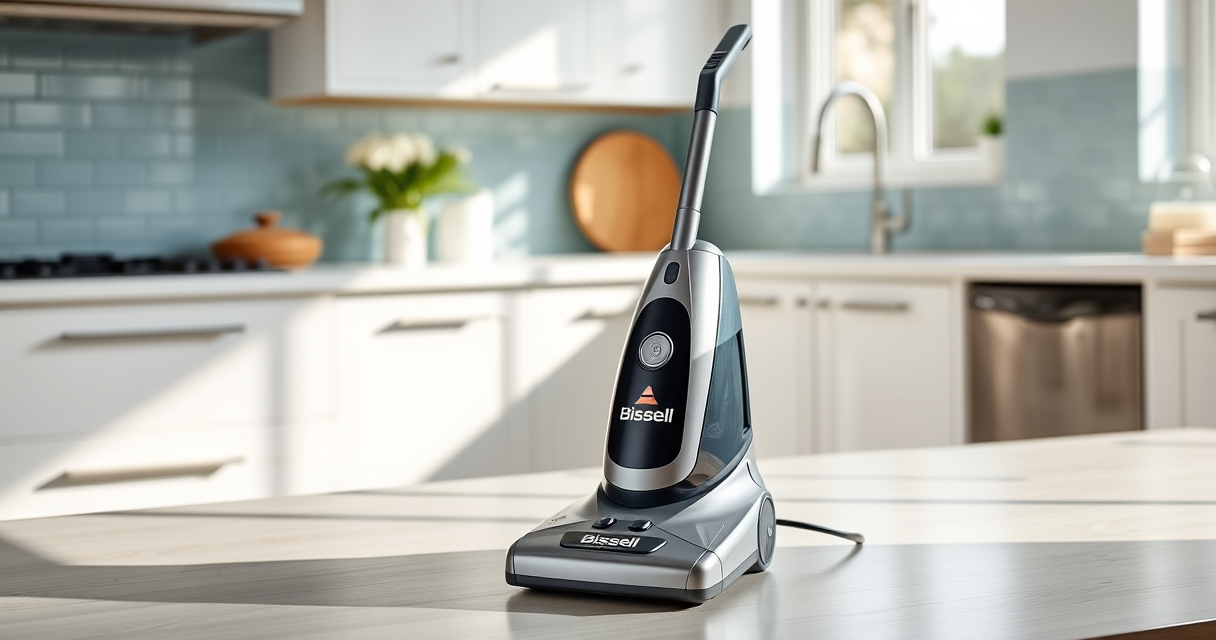
BISSELL ProHeat 2X Revolution Pet Turbo Upright Carpet Cleaner, 35799
- Powerful Suction: 40% more suction with TurboStrength motor
- Quiet Operation: 50% noise reduction for quieter cleaning
- Max Clean Mode: Removes dirt, stains, and allergens
As an affiliate, we earn on qualifying purchases.
Ensure Water and Solution Are Full and Properly Installed
- Remove the water tank from the cleaner.
- Check that the tank is filled with clean water and, if applicable, cleaning solution.
- Reinstall the tank securely, ensuring it clicks into place.
- Confirm that the solution is not empty, and the tank isn’t cracked or leaking.
Clear Blockages in Nozzles and Hoses
- Inspect the spray nozzle for any visible debris or build-up.
- Detach the nozzle if possible, and rinse it thoroughly with warm water.
- Check the hose leading to the nozzle for blockages or kinks.
- Use a thin, flexible brush or a straightened paper clip to gently clear any obstructions.
Clean or Replace Filters
Locate the filters in your cleaner, typically near the water intake or solution delivery areas. Remove and inspect them for dirt or debris. Clean them with warm water and let them dry completely before reinstalling. If they are damaged or excessively clogged, replace them with compatible filters.
Check for Leaks and Damage
Inspect all hoses, tanks, and connections for cracks, leaks, or loose fittings. Tighten any loose parts and replace damaged hoses or tanks to restore proper pressure and flow.
Reset and Test the Machine
- Turn off and unplug your Bissell cleaner.
- Wait a few minutes, then plug it back in and turn it on.
- Run a short cleaning cycle to see if the spray function resumes.
The Products in This Guide

BISSELL ProHeat 2X Revolution Pet Turbo Upright Carpet C
- ✔ Power: TurboStrength™ motor
- ✔ Modes: MAX, EXPRESS
- ✔ Technology: HeatWave

JORAIR Brush Replacement Compatible
- ✔ Compatibility: Multiple CrossWave models
- ✔ Contents: Brush rolls, filters, cleaner
- ✔ Size: 9.84 x 1.34 inches
BISSELL ProHeat 2X Revolution Pet Turbo Upright Carpet C
The BISSELL ProHeat 2X Revolution Pet Turbo offers advanced technology with TurboStrength™ motor, maximizing suction and cleaning power. If your unit isn’t spraying, these troubleshooting steps can help restore its performance effectively.
Pros:
- Powerful suction with TurboStrength motor
- Multiple cleaning modes including MAX and EXPRESS
- HeatWave technology maintains water temperature
- Dual DirtLifter PowerBrushes for embedded dirt
Cons:
- Can be complex to disassemble for beginners
- Requires regular filter cleaning
- Hose and nozzle blockages may occur
Best for: Deep cleaning of heavily soiled carpets and pet stains
Not ideal for: Light touch-ups or minimal cleaning tasks
Bottom line: A highly effective carpet cleaner that can be restored to full function with proper troubleshooting.
JORAIR Brush Replacement Compatible
Replacing worn or clogged brushes can significantly improve spray and cleaning performance. The JORAIR compatible brush roll and filters are designed to fit Bissell CrossWave models and help maintain your machine’s efficiency.
Pros:
- Easy to install
- Compatible with multiple CrossWave models
- Includes filters and cleaning brush
- Affordable replacement option
Cons:
- Only compatible with specific models
- May need adjustment for perfect fit
- Filters require regular cleaning
Best for: Maintaining optimal cleaning performance on multi-surface floors
Not ideal for: For cleaning issues unrelated to brushes or filters
Bottom line: A comprehensive kit to keep your CrossWave operating smoothly.
Frequently Asked Questions
Why is my Bissell cleaner not spraying water?
Common causes include a clogged nozzle, blocked hoses, empty or improperly installed water tank, or dirty filters. Following the troubleshooting steps can help identify and fix the issue.
How often should I clean the filters?
It’s best to clean filters after every few uses or whenever you notice a decrease in spray performance. Replace them if they show signs of damage or excessive wear.
Can I use other solutions besides Bissell Multi-Surface Solution?
It’s recommended to use solutions formulated for your specific machine. Using incompatible solutions may cause clogs or damage, so always check manufacturer guidelines.
What should I do if my machine still doesn’t spray after troubleshooting?
Contact Bissell customer support for further assistance or consider professional repairs if the unit is under warranty.
Get Your Carpet Cleaner Spraying Again
With careful inspection and cleaning of key components like the water tank, nozzles, filters, and hoses, you can often resolve spraying issues on your Bissell ProHeat 2X Revolution. Regular maintenance also prevents future problems, ensuring your carpet cleaning performance remains top-notch.
If troubleshooting doesn’t resolve the issue, professional repair or replacement might be necessary, but most problems can be fixed with these simple steps.
Affiliate disclosure: As an Amazon Associate we earn from qualifying purchases. Prices and availability are accurate as of the time of publishing.