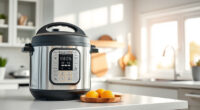
If your COSORI air fryer is displaying an error code, it can be confusing and disruptive to your cooking. These codes usually indicate a specific issue that needs attention, but understanding what causes them and how to fix them can save you time and prevent further problems.

Get home appliances delivered free — and shop member deals
- Fast, free delivery on millions of items
- Access to Prime Big Deal Days deals on October 6–7
- Prime Video, Amazon Music and more included
In this guide, we’ll walk you through common COSORI air fryer error codes, their likely causes, and practical, safe troubleshooting steps. Whether it’s a heating issue, sensor error, or connectivity problem, you’ll find clear instructions to get your fryer back to optimal performance.
Key Takeaways
| Understand error codes | Identifying what each code means helps target the fix. |
| Check power and connections | Ensure the fryer is properly plugged and there are no loose wires. |
| Inspect sensors and vents | Clean or reposition sensors and vents to resolve many errors. |
| Reset your air fryer | A simple reset can clear temporary glitches. |
| Prevent future errors | Regular maintenance extends your air fryer’s lifespan. |
Understanding Common COSORI Error Codes
Cosori air fryers display error codes to alert you to specific issues. Some common codes include E1, E2, E3, and others, each corresponding to different faults like temperature sensors, heating elements, or communication errors. Recognizing these codes is the first step toward fixing the problem.
For example, an E1 error often indicates a temperature sensor malfunction, while an E2 might relate to a heating element issue. The user manual provides specific meanings, but many errors share similar troubleshooting steps.
Step 1: Power Cycle and Basic Checks
- Unplug the air fryer from the power outlet.
- Wait for at least 60 seconds to allow internal components to reset.
- Plug the air fryer back in and turn it on.
- Check if the error code persists.
This simple reset often clears temporary glitches that cause error codes. Also, ensure the power cord is undamaged and securely connected.
Step 2: Inspect and Clean Sensors and Vents
- Open the air fryer basket and interior to access sensors and vents.
- Use a soft, damp cloth or a soft brush to gently clean any dust, grease, or food residue from sensors and vents.
- Ensure sensors are properly positioned and unobstructed.
Dirty sensors or blocked vents can cause false error signals. Regular cleaning maintains accurate readings and smooth operation.
Step 3: Check Heating Element and Wiring
For errors related to heating or temperature, visually inspect the heating element for damage or debris. If accessible, verify wiring connections are secure.
If you notice damage or corrosion, contact COSORI customer support for repair options. Do not attempt to repair internal wiring unless qualified, as this could be unsafe.
Step 4: Perform a Factory Reset
Many COSORI models allow a factory reset via specific button combinations or app controls. Refer to your user manual for reset instructions.
This can clear persistent errors caused by software glitches and restore default settings.
Step 5: Contact Support or Consider Repair
If error codes persist after troubleshooting, contact COSORI customer support for guidance. Be prepared to provide your model number, serial number, and a description of the steps you’ve taken.
In some cases, professional repair or replacement might be necessary, especially if internal components are faulty.
The Products in This Guide

Cosori 9-in-1 TurboBlaze Air Fryer 6 Qt
- ✔ Power: 1700W
- ✔ Color: Cream
- ✔ Warranty: 1 Year

ALJ 3PCS Air Fryer Oven Mesh Rack
- ✔ Capacity: Universal fit for large fryers
- ✔ Safety: Food-grade stainless steel
- ✔ Cleaning: Dishwasher safe
Cosori 9-in-1 TurboBlaze Air Fryer 6 Qt
The COSORI 9-in-1 TurboBlaze Air Fryer offers powerful cooking performance with smart control, precise temperature, and TurboBlaze technology for even results. It’s a versatile choice for busy kitchens.
Pros:
- Smart control via app
- 90°–450°F temperature range
- Even cooking with TurboBlaze tech
- Multiple functions including bake and roast
Cons:
- Learning curve with advanced features
- Slightly large footprint
- Requires regular cleaning
Best for: Home cooks seeking a high-performance, multi-use air fryer
Not ideal for: Users preferring simple, manual operation without app control
Bottom line: A high-tech, versatile air fryer suited for modern kitchens.
ALJ 3PCS Air Fryer Oven Mesh Rack
The ALJ 3PCS Air Fryer Oven Mesh Rack enhances your COSORI 10QT or 13QT air fryer with even air flow and crispiness. Made of food-grade stainless steel, it’s a durable addition to your kitchen tools.
Pros:
- Fits various models
- Made of food-grade stainless steel
- Dishwasher safe
- Enhances airflow and crispiness
Cons:
- Requires additional purchase
- May need adjusting for different models
Best for: Expanding cooking options and improving results in your air fryer
Not ideal for: If you prefer built-in racks or minimal accessories
Bottom line: A sturdy, efficient way to improve your air frying results.
Frequently Asked Questions
What does the E1 error code mean on my COSORI air fryer?
The E1 error typically indicates a problem with the temperature sensor or temperature reading. Cleaning sensors and resetting the fryer can often resolve this.
How do I reset my COSORI air fryer to clear error codes?
Unplug the unit, wait for 60 seconds, then plug it back in. Some models may require pressing specific buttons or using the app for a factory reset. Consult your manual for details.
Can I clean the sensors or internal parts myself?
Yes, use a soft, damp cloth or soft brush to gently clean sensors and vents. Avoid using harsh chemicals or abrasive materials to prevent damage.
What should I do if error codes keep appearing after troubleshooting?
If errors persist, contact COSORI customer support for detailed assistance or consider professional repair, especially if internal components are suspected to be faulty.
Are there preventive tips for avoiding error codes?
Regularly clean sensors and vents, avoid overloading the basket, and perform periodic resets to keep your air fryer functioning smoothly.
Keeping Your COSORI Air Fryer Error-Free
Understanding and troubleshooting COSORI air fryer error codes can seem daunting, but with a few simple steps, you can resolve most issues safely and quickly. Regular maintenance, gentle cleaning, and proper operation are key to preventing future errors and ensuring your air fryer delivers crispy, delicious results every time.
Always refer to your user manual for specific error codes and follow safety precautions when inspecting internal parts. With proper care, your COSORI air fryer can serve you reliably for years to come.
Affiliate disclosure: As an Amazon Associate we earn from qualifying purchases. Prices and availability are accurate as of the time of publishing.
Halloween Picks
halloween
As an affiliate, we earn on qualifying purchases.