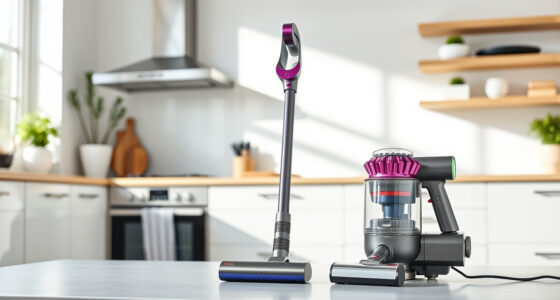

The Dyson V15 Detect™ Origin cordless vacuum offers powerful, intelligent cleaning with advanced features like particle detection and floor adaptation. To ensure it continues to deliver optimal performance, regular maintenance and troubleshooting are essential. This guide provides clear, practical steps to help you keep your Dyson V15 in top condition, troubleshoot common issues, and understand when to seek professional help.

Get home appliances delivered free — and shop member deals
- Fast, free delivery on millions of items
- Access to Prime Big Deal Days deals on October 6–7
- Prime Video, Amazon Music and more included
Whether you’re facing reduced suction, battery concerns, or filter problems, this comprehensive guide walks you through safe, effective solutions to tackle everyday maintenance and unexpected hiccups with confidence.
Key Takeaways
| Regular Cleaning is Key | Keep filters, brushes, and attachments clean for optimal performance. |
| Watch for Maintenance Alerts | Use the LCD to monitor system alerts and address them promptly. |
| Battery Care Matters | Proper charging habits extend battery life and run time. |
| Filter Replacement Essential | Replace filters regularly to maintain suction and filtration. |
| Troubleshoot Safely | Always power off and disconnect before performing maintenance. |
Basic Maintenance for Peak Performance
- Turn off and unplug your Dyson V15 before starting any cleaning or maintenance.
- Remove the bin and empty it thoroughly, tapping out dust and debris into a trash bin.
- Clean the filters by rinsing them with water; ensure they are completely dry before reinstalling, typically after 24 hours.
- Wipe the wand, cleaner heads, and attachments with a damp cloth to remove dust buildup.
- Check the brush bars for hair or string entanglements and remove any debris carefully.
Perform this routine weekly for consistent performance. Regularly inspecting and cleaning these components prevents clogs and maintains suction power.
Replacing and Maintaining Filters
The Dyson V15 detects when filters need replacing and displays alerts on the LCD. To keep filtration at peak efficiency:
- Remove the pre-filters located at the cyclone section.
- Rinse the filters under cold water, gently squeezing to remove dirt. Avoid using detergents.
- Allow filters to air dry completely (at least 24 hours) before reinstalling.
- Replace filters every 2-3 months or sooner if you notice reduced suction or increased dust emissions.
Using high-quality replacement filters, like the 3Pack Pre Filters Replacement, ensures your vacuum maintains its high performance and filtration standards.
Troubleshooting Common Issues
If your Dyson V15 is not performing optimally, follow these steps:
- Reduced suction: Check for blockages in the wand, cleaner head, and hose. Clean filters and empty the bin.
- Battery not charging or short run time: Ensure the charger is connected properly. Avoid frequent partial charges; fully charge before use.
- LCD showing errors or alerts: Refer to the screen for specific messages. Reset the vacuum by turning it off, disconnecting from power, and restarting after a few minutes.
Perform these checks regularly to catch issues early and maintain cleaning efficiency.
Replacing Worn or Damaged Parts
Over time, parts like filters or brushes may wear out. To replace them:
- Identify the part needing replacement (filters, brush bars, or attachments).
- Use compatible accessories, such as the Replacement V10 Filters or LANMU Crevice Tool, for optimal fit and function.
- Follow the installation instructions carefully, ensuring secure attachment.
Replacing worn parts keeps your vacuum performing like new and prevents further damage.
When to Seek Professional Service
If troubleshooting does not resolve the issue, or if you notice unusual noises, persistent loss of suction, or visible damage, contact Dyson customer support or authorized service centers. Attempting complex repairs yourself may void your warranty or cause further damage.
Regular professional checkups can prolong your vacuum’s lifespan and ensure it operates safely and efficiently.
The Products in This Guide

Dyson V15 Detect™ Origin Cordless Vacuum
- ✔ Battery Life: Up to 60 min
- ✔ Filter Type: HEPA
- ✔ Weight: Approx. 6.8 lbs

LANMU Crevice Tool Vacuum Attachments Compatible
- ✔ Connection Type: Snap-on
- ✔ Material: Plastic
- ✔ Color: Black
Dyson V15 Detect™ Origin Cordless Vacuum
The Dyson V15 Detect™ Origin is a powerful, intelligent cordless vacuum designed for whole-home deep cleaning. It features particle detection, floor adaptation, and a range of advanced tools, making it a top choice for pet owners and allergy sufferers alike. Regular maintenance ensures it continues to perform at its best.
Pros:
- Powerful suction with 100% more power
- Intelligent dust detection and floor adaptation
- Long battery life up to 60 minutes
- LCD screen for real-time alerts
Cons:
- Filter cleaning requires patience and drying time
- Can be heavy for prolonged handheld use
- Higher price point compared to basic models
Best for: Deep cleaning homes with pets or allergies
Not ideal for: Light or quick cleanups without heavy debris
Bottom line: The Dyson V15 Detect™ Origin offers top-tier cleaning with smart features, requiring regular maintenance for optimal performance.
LANMU Crevice Tool Vacuum Attachments Compatible
The LANMU Crevice Tool Vacuum Attachments are a compatible and versatile accessory for your Dyson V15. Its slim, flexible design allows easy access into corners, sofa cushions, car seats, and tight spots, enhancing your cleaning reach.
Pros:
- Narrow nozzle for tight spaces
- Compatible with multiple Dyson models
- Easy to attach and detach
- Effective for detailed cleaning
Cons:
- Not compatible with V6 or canister models
- Requires careful handling to avoid damage
- Limited to targeted cleaning tasks
Best for: Detail cleaning in small or hard-to-reach spots
Not ideal for: Heavy-duty cleaning or large debris
Bottom line: A practical, adaptable tool to perfect your detailed cleaning routine with Dyson vacuums.
Frequently Asked Questions
How often should I replace the filters on my Dyson V15?
It is recommended to replace or clean the filters every 2-3 months to ensure consistent suction and filtration performance.
Can I use regular water to rinse the filters?
Yes, rinse the filters with cold water, gently squeezing out dirt. Avoid detergents, and let them air dry completely before reinstalling.
Why does my Dyson V15 lose suction?
Common causes include clogged filters, full dust bins, or blockages in the wand or cleaner head. Regular cleaning of these parts helps prevent suction loss.
My vacuum’s LCD shows an error. What should I do?
Check the error message on the LCD screen. Often, restarting the vacuum or cleaning filters will resolve the issue. Refer to the user manual for specific alerts.
How can I extend my Dyson V15’s battery life?
Avoid partial charges, fully charge before use, and store the vacuum in a cool, dry place. Regularly check the battery condition for optimal performance.
Keep Your Dyson V15 Detect™ Origin in Prime Condition
Regular maintenance and timely troubleshooting are key to ensuring your Dyson V15 Detect™ Origin continues to deliver powerful, intelligent cleaning. Follow these steps for routine care, replace filters as needed, and use compatible accessories for detailed tasks. When problems persist, professional service can help keep your vacuum running smoothly for years to come.
Affiliate disclosure: As an Amazon Associate we earn from qualifying purchases. Prices and availability are accurate as of the time of publishing.
Fall yard work Picks
leaf blowers
As an affiliate, we earn on qualifying purchases.