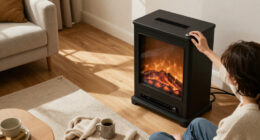
The Kasa Smart Wi-Fi Plug Mini EP10P4 is my best overall pick for a fireplace controlled by a standard outlet, thanks to its simple app scheduling and four-plug bundle. For outdoor or more demanding placements, the Kasa EP40 offers two independently controlled outlets, while the Linkind Matter Smart Plug stands out for households prioritizing Matter compatibility. The main tradeoffs are indoor versus outdoor construction, one outlet versus two, and choosing familiar app control versus a smart-home standard. A smart plug can schedule power, but it cannot make an incompatible or high-draw heater safe to control remotely. Read on for the full breakdown and a guide to matching a plug to your fireplace.

Get home appliances delivered free with Prime
- Fast, free delivery on millions of items
- Prime Video, Amazon Music and more included
- Member-only deals all year
Complete the kit



Key Takeaways
- The EP10P4 leads for straightforward indoor scheduling: its four-pack makes it a practical pick when several compatible lamps or fireplace accessories need timed control, but check heater compatibility before plugging in a fireplace.
- The Kasa EP40 and KP401 serve different outdoor needs: the EP40 has two independently controlled outlets, while the KP401 is a single-outlet outdoor option; neither should be treated as automatically suitable for every heating appliance.
- Linkind Matter plugs are the clearest choice for cross-platform planning: the 4-pack suits multiple locations, while the 2-pack is a smaller commitment for one or two devices.
- Several GHome and Govee listings overlap in purpose: compare the exact model and connectivity rather than assuming a larger pack or Bluetooth support changes fireplace safety or timer capability.
- Timer convenience does not replace electrical checks: rated load, fireplace manufacturer guidance, plug placement, and what happens after a power interruption matter more than app features alone.
| Kasa EP40 Outdoor Smart Plug with 2 Independently Controlled Outlets |  | Best for Outdoor Fireplace Setups | Model: EP40 | Outlets: 2 independently controlled AC outlets | Maximum load: 15 A / 1875 W per outlet | VIEW LATEST PRICE | See Our Full Breakdown |
| Kasa Smart Wi-Fi Plug Mini EP10P4, 4-Pack | 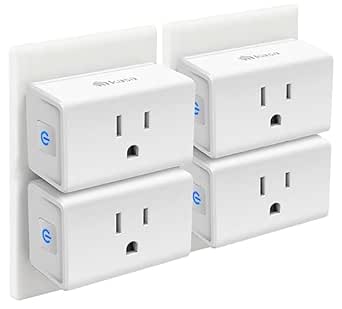 | Best Value for Multiple Rooms | Model: EP10P4 | Package quantity: 4 plugs | Maximum load: 15 A / 1800 W | VIEW LATEST PRICE | See Our Full Breakdown |
| Govee Smart Wi-Fi Plugs, 4-Pack |  | Best for Bluetooth Setup Flexibility | Model: B5081 | Package quantity: 4 smart plugs | Connectivity: Bluetooth and 2.4 GHz Wi-Fi; no 5 GHz support | VIEW LATEST PRICE | See Our Full Breakdown |
| Linkind Matter Smart Plug, 4-Pack |  | Best for Matter Smart Homes | Model: LC09003256 | Package quantity: 4 plugs | Connectivity: Matter and 2.4 GHz Wi-Fi | VIEW LATEST PRICE | See Our Full Breakdown |
| Kasa Smart Plug Mini 15A, EP10P2, 2-Pack |  | Best for a Simple Two-Outlet Setup | Model: EP10P2 | Package quantity: 2 plugs | Maximum load: 15 A / 1800 W | VIEW LATEST PRICE | See Our Full Breakdown |
| GHome Smart Plug with Wi-Fi and Bluetooth | 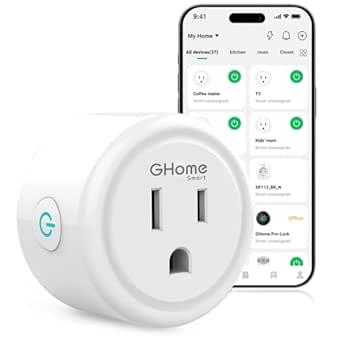 | Best for Flexible App Choice | Model: WP3 | Connectivity: Bluetooth; 2.4 GHz Wi-Fi | Voice assistants: Amazon Alexa; Google Assistant | VIEW LATEST PRICE | See Our Full Breakdown |
| YoLink Smart Energy Plug, 15A (YS6614) |  | Best for High-Load Monitoring | Model: YS6614 | Maximum current: 15 A | Maximum wattage: 1,800 W | VIEW LATEST PRICE | See Our Full Breakdown |
| GHome Smart Plug Mini, Wi-Fi Outlet, 4-Pack | 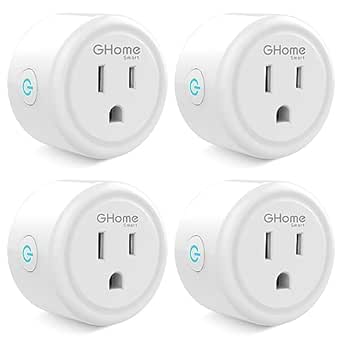 | Best Multi-Room Value | Model: WP3 | Pack size: 4 | Wireless network: 2.4 GHz Wi-Fi | VIEW LATEST PRICE | See Our Full Breakdown |
| GHome Smart Plug with Wi-Fi, Alexa and Google Home Compatibility |  | Best Two-Plug Starter Set | Model: WP3 | Quantity: 2 | Connectivity: 2.4 GHz Wi-Fi | VIEW LATEST PRICE | See Our Full Breakdown |
| Govee Smart Plug with Wi-Fi and Bluetooth | 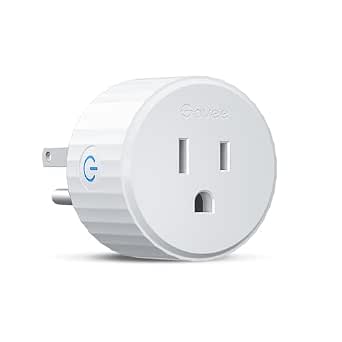 | Best Compact Single Plug | Model: H5081101 | Connectivity: Wi-Fi; Bluetooth | Wi-Fi band: 2.4 GHz; does not support 5 GHz | VIEW LATEST PRICE | See Our Full Breakdown |
| GHome Smart Wi-Fi Plug, 4-Pack |  | Best for Grouped Fireplace Schedules | Model: WP3 | Pack quantity: 4 plugs | Operating voltage: 120 V | VIEW LATEST PRICE | See Our Full Breakdown |
| GHome Smart Wi-Fi Smart Plugs, 15A, Alexa and Google Home Compatible, 4-Pack |  | Best Value for Higher-Rated Four-Plug Control | Model: WP3-A | Pack quantity: 4 | Operating voltage: 120 V | VIEW LATEST PRICE | See Our Full Breakdown |
| Kasa Smart Outdoor Plug KP401 |  | Best for Outdoor Fireplace Accessories | Model: KP401 | Pack quantity: 1 | Wi-Fi: 2.4 GHz | VIEW LATEST PRICE | See Our Full Breakdown |
| Linkind Matter Smart Plug, 2-Pack |  | Best for Matter Smart Homes | Model: LC09003256 | Pack size: 2 | Voltage: 120 V | VIEW LATEST PRICE | See Our Full Breakdown |
| smart fireplace plugs with timer | Model | Connectivity | Certifications | Operating voltage |
|---|---|---|---|---|
| Kasa EP40 Outdoor Smart Plug w | EP40 | — | — | — |
| Kasa Smart Wi-Fi Plug Mini EP1 | EP10P4 | 2.4 GHz Wi-Fi; no hub required | UL, RoHS, FCC, and IC | 120 V |
| Govee Smart Wi-Fi Plugs | B5081 | Bluetooth and 2.4 GHz Wi-Fi; no 5 GHz support | ETL and FCC | — |
| Linkind Matter Smart Plug | LC09003256 | Matter and 2.4 GHz Wi-Fi | FCC and ETL | — |
| Kasa Smart Plug Mini 15A | EP10P2 | 2.4 GHz Wi-Fi; no hub required | — | 120 V AC |
| GHome Smart Plug with Wi-Fi an | WP3 | Bluetooth; 2.4 GHz Wi-Fi | ETL; FCC | 120 V |
| YoLink Smart Energy Plug | YS6614 | YoLink LoRa | — | 120 V |
| GHome Smart Plug Mini | WP3 | — | ETL; FCC | — |
| GHome Smart Plug with Wi-Fi | WP3 | 2.4 GHz Wi-Fi | ETL; FCC | 120 V |
| Govee Smart Plug with Wi-Fi an | H5081101 | Wi-Fi; Bluetooth | ETL; FCC | — |
| GHome Smart Wi-Fi Plug | WP3 | — | ETL, FCC | 120 V |
| GHome Smart Wi-Fi Smart Plugs | WP3-A | 2.4 GHz and 5 GHz Wi-Fi; Bluetooth setup | ETL, FCC | 120 V |
| Kasa Smart Outdoor Plug KP401 | KP401 | — | — | — |
| Linkind Matter Smart Plug | LC09003256 | — | — | — |
More Details on Our Top Picks
Kasa EP40 Outdoor Smart Plug with 2 Independently Controlled Outlets
For a fireplace or patio heater used outdoors, the Kasa EP40 is the clearest fit in this group: its IP64 weather resistance and two independently controlled outlets suit separate outdoor devices, while app schedules and countdown timers can automate run times. Each outlet supports up to 15 A / 1875 W, giving it a higher stated per-outlet limit than the Govee four-pack’s 1200 W maximum. Unlike the indoor Kasa EP10P2, this model is built for weather exposure, though its 2.4 GHz Wi-Fi connection still depends on the signal reaching the plug; the stated 300-foot range applies to open space. I would choose it for outdoor placement, not as a default indoor fireplace plug. Check the fireplace maker’s instructions and electrical load before connecting any heater.
Pros:- Two outlets can be controlled and scheduled independently.
- IP64 weather resistance suits appropriate outdoor locations.
- Supports app control, voice control, schedules, and countdown timers.
- Up to 15 A / 1875 W per outlet and a two-year warranty.
Cons:- Requires a 2.4 GHz Wi-Fi network.
- The stated 300-foot Wi-Fi range is for open space, not obstructed areas.
- Its outdoor format is less suited to compact indoor outlet setups.
Best for: Buyers automating an outdoor-rated fireplace or patio heater who need two separately scheduled outlets and weather resistance.
Not ideal for: Anyone seeking a compact indoor plug or whose outdoor Wi-Fi signal is weak; the EP40 is larger than the indoor minis and its range claim is for open space.
- Model:EP40
- Outlets:2 independently controlled AC outlets
- Maximum load:15 A / 1875 W per outlet
- Weather resistance:IP64
- Wi-Fi:2.4 GHz; up to 300 ft in open space
- Voice compatibility:Amazon Alexa and Google Assistant
- Dimensions:4.9 × 2.38 × 2.29 in
- Certification and warranty:ETL; 2 years
Our verdict“Choose the EP40 when weather resistance and independent outdoor timers matter more than compact indoor size.”
Kasa Smart Wi-Fi Plug Mini EP10P4, 4-Pack
The Kasa EP10P4 four-pack suits buyers who want timers on several compatible appliances without adding a hub. Its compact shape leaves the neighboring outlet available, and schedules, countdown timers, and Away Mode cover both routine fireplace shutoff and broader home automation. Compared with the two-plug Kasa EP10P2, this pack is better for spreading timers across rooms; the EP10P2 is the simpler choice when only a couple of outlets need control. Both are indoor 2.4 GHz Wi-Fi options, so neither adds the EP40’s weather resistance for outdoor use. The 15 A, 1800 W rating is useful context, but a fireplace’s own electrical requirements and manufacturer guidance take precedence. I’d skip these for a setup that needs Matter or a connection independent of Wi-Fi.
Pros:- Four plugs support timers and schedules across multiple rooms.
- Compact design leaves the adjacent outlet available.
- Works with Alexa, Google Assistant, and Samsung SmartThings.
- Includes Away Mode and UL certification.
Cons:- Requires 2.4 GHz Wi-Fi and the Kasa or Tapo app.
- Not specified as weather-resistant for outdoor use.
- Does not provide Matter-based local control.
Best for: Households that want to automate several indoor, plug-in devices with one compact, hub-free Wi-Fi system.
Not ideal for: Buyers needing outdoor weather protection, Matter connectivity, or operation without a 2.4 GHz Wi-Fi network.
- Model:EP10P4
- Package quantity:4 plugs
- Maximum load:15 A / 1800 W
- Operating voltage:120 V
- Connectivity:2.4 GHz Wi-Fi; no hub required
- Control features:Schedules, timers, and Away Mode
- Voice and smart home compatibility:Amazon Alexa, Google Assistant, and Samsung SmartThings
- Certifications:UL, RoHS, FCC, and IC
Our verdict“Pick the EP10P4 if you need several compact indoor timers; choose the EP10P2 if two plugs are enough.”
Govee Smart Wi-Fi Plugs, 4-Pack
The Govee four-pack stands apart from the Kasa EP10P4 by adding Bluetooth alongside 2.4 GHz Wi-Fi, which offers another way to connect and manage the plugs. It supports schedules and group control, so several devices can follow a shared routine rather than requiring separate commands. That makes it a practical pick for basic timer use, but the load information is less reassuring for a fireplace: the supplied specs list 1200 W maximum power and conflict on amperage, giving both 10 A and 11 A. By comparison, the Kasa EP10P4 and EP10P2 specify 1800 W and 15 A. I would favor Govee only when its connectivity options and coordinated control matter more than a clearer, higher stated load limit. Confirm the appliance’s requirements before use.
Pros:- Bluetooth and 2.4 GHz Wi-Fi connectivity, with no hub required.
- Schedules and group control support coordinated routines.
- Works with Amazon Alexa and Google Assistant.
- Four compact plugs are included.
Cons:- Listed maximum power is 1200 W, below the Kasa EP10 models’ 1800 W.
- Product information conflicts on amperage, listing 10 A and 11 A.
- Does not support 5 GHz Wi-Fi.
Best for: Buyers who want several compact plugs with Bluetooth and Wi-Fi connectivity for lower-load devices and scheduled group control.
Not ideal for: Anyone whose fireplace approaches the stated 1200 W limit or who needs unambiguous electrical ratings; the amperage information conflicts.
- Model:B5081
- Package quantity:4 smart plugs
- Connectivity:Bluetooth and 2.4 GHz Wi-Fi; no 5 GHz support
- Maximum power:1200 W
- Amperage:Conflicting information: 10 A in description and 11 A in product information
- Voltage:120 V
- Voice compatibility:Amazon Alexa and Google Assistant
- Certifications:ETL and FCC
Our verdict“Choose Govee for Bluetooth access and group scheduling on compatible lower-load devices, not when you need a clearly higher load rating.”
Linkind Matter Smart Plug, 4-Pack
For buyers building around several smart-home platforms, the Linkind Matter four-pack offers broader integration than the Wi-Fi-only Kasa EP10P4. It supports Apple Home, Alexa, Google Home, SmartThings, and the AiDot app, with schedules and timers for automatic shutoff. Its ability to communicate over a local network during internet outages may also help keep local control available when the external connection fails. The tradeoff is setup complexity: the plugs require 2.4 GHz Wi-Fi and IPv6, and a compatible Matter hub is needed for several listed platforms. That makes this a better match for an established Matter household than for someone who wants the simplest app-based timer. Its 1800 W maximum is a stated limit, not a substitute for checking the fireplace’s electrical requirements.
Pros:- Matter support spans several major smart-home platforms.
- Schedules, timers, voice control, and remote control are supported.
- Local-network communication can continue during internet outages.
- Four plugs include short-circuit and overload protection.
Cons:- Requires 2.4 GHz Wi-Fi and IPv6.
- A compatible Matter hub is needed for Apple Home, Alexa, Google Home, and SmartThings.
- Setup may be more involved than the hub-free Kasa EP10 models.
Best for: Smart-home users with a compatible Matter hub who want timers and control across Apple Home, Alexa, Google Home, or SmartThings.
Not ideal for: Beginners seeking a simple hub-free setup or households without IPv6-capable 2.4 GHz Wi-Fi and a compatible hub for their chosen platform.
- Model:LC09003256
- Package quantity:4 plugs
- Connectivity:Matter and 2.4 GHz Wi-Fi
- Network requirement:IPv6
- Maximum load:15 A / 1800 W
- Compatible platforms:Apple Home, Amazon Alexa, Google Home, SmartThings, and AiDot app
- Local control:Local-network communication during internet outages
- Certifications:FCC and ETL
Our verdict“Choose Linkind if your home already has Matter infrastructure and cross-platform control matters more than plug-and-play simplicity.”
Kasa Smart Plug Mini 15A, EP10P2, 2-Pack
The Kasa EP10P2 is the straightforward choice when you only need timers for one or two indoor devices. These compact plugs leave the neighboring wall outlet available and support app control, voice commands, schedules, countdown timers, and Away Mode. Against the four-plug Kasa EP10P4, this two-pack avoids buying more plugs than a small setup needs; the EP10P4 makes more sense when you want to automate several rooms. The EP10P2 also matches the larger pack’s stated 15 A / 1800 W limit and adds a two-year warranty. Its main compromises are familiar: it depends on 2.4 GHz Wi-Fi and does not specify Matter or other non-Wi-Fi connectivity. As with any smart plug used with a fireplace, confirm compatibility with the appliance manufacturer before connecting it.
Pros:- Two compact plugs leave adjacent outlets available.
- Supports schedules, timers, and Away Mode.
- Works with Alexa, Google Assistant, and Samsung SmartThings.
- UL certified and includes a two-year warranty.
Cons:- Requires a 2.4 GHz Wi-Fi network.
- Two plugs cover fewer devices than the Kasa EP10P4 four-pack.
- No non-Wi-Fi connectivity protocol is specified.
Best for: Buyers who want a pair of compact, hub-free indoor timer plugs for a fireplace and one other compatible appliance.
Not ideal for: People automating several rooms, placing plugs outdoors, or seeking Matter and local-network control during internet outages.
- Model:EP10P2
- Package quantity:2 plugs
- Maximum load:15 A / 1800 W
- Operating voltage:120 V AC
- Connectivity:2.4 GHz Wi-Fi; no hub required
- Control features:App and voice control, schedules, timers, and Away Mode
- Compatible assistants:Amazon Alexa, Google Assistant, and Samsung SmartThings
- Certifications and warranty:UL, FCC, IC, and RoHS; 2 years
Our verdict“Choose the EP10P2 for a compact, uncomplicated two-plug timer setup; step up to the EP10P4 if you need coverage in more rooms.”
GHome Smart Plug with Wi-Fi and Bluetooth
This GHome plug suits fireplace owners who want timers and schedules without being locked into one app: it works with GHome, Smart Life, and Tuya, plus Alexa and Google Assistant voice control. Bluetooth joins 2.4 GHz Wi-Fi, though setup still starts in an app and the plug needs that Wi-Fi network for connected control. At 1,200 W maximum, it has less stated capacity than the YoLink Smart Energy Plug’s 1,800 W, so check your fireplace’s electrical requirements before choosing it. Unlike the GHome Smart Plug Mini 4-Pack, this is a single-plug option with Bluetooth listed in its connectivity. It makes the most sense for one compatible fireplace and a household that values app flexibility; the Wi-Fi restriction and app-first setup are the tradeoffs.
Pros:- Offers schedules and timers through supported apps for routine operation.
- Works with Alexa and Google Assistant for voice control.
- Supports GHome, Smart Life, and Tuya apps.
- No hub is required, and Bluetooth is included alongside 2.4 GHz Wi-Fi.
Cons:- The 1,200 W maximum is below the YoLink Smart Energy Plug’s 1,800 W rating.
- Requires a 2.4 GHz Wi-Fi network for connected features.
- App setup is required before linking to Alexa or Google Home.
Best for: Owners of one compatible, lower-wattage electric fireplace who want timer control through a choice of supported apps and voice assistants.
Not ideal for: People with a fireplace exceeding 1,200 W, a 5 GHz-only network, or a preference for setup without an app.
- Model:WP3
- Connectivity:Bluetooth; 2.4 GHz Wi-Fi
- Voice assistants:Amazon Alexa; Google Assistant
- Maximum wattage:1,200 W
- Operating voltage:120 V
- Dimensions:2.1 × 2.1 × 1.1 inches
- Hub required:No
- Certifications:ETL; FCC
Our verdict“Choose this single plug if your fireplace is within its 1,200 W limit and you want timers with a choice of compatible apps.”
YoLink Smart Energy Plug, 15A (YS6614)
Among these five picks, the YoLink is the clearest choice when power monitoring and higher stated capacity matter as much as timers. It supports up to 1,800 W and 15 A, offers cycle scheduling, and can report real-time energy use with exportable reports. That gives it an advantage over the Govee Smart Plug, rated at 1,100 W, for buyers whose fireplace falls within YoLink’s rating and who want to track its consumption. Its LoRa connection is specified for up to 2,034 feet in open air, but full functionality requires a YoLink Hub, unlike the hub-free GHome and Govee options. Overload protection is a useful safeguard, yet the product has no stated ingress protection, so I would keep it in a dry indoor location and verify the fireplace’s own requirements before use.
Pros:- Supports up to 15 A and 1,800 W, the highest stated capacity among these five products.
- Provides real-time power monitoring and exportable energy reports.
- Includes cycle scheduling and overload protection.
- YoLink LoRa connectivity is specified for up to 2,034 feet in open air.
Cons:- A YoLink Hub is required for full functionality.
- IP00 indicates no stated ingress protection, so it is not a choice for damp locations.
- Its monitoring capabilities may be unnecessary for buyers who only need basic timer control.
Best for: Owners of a compatible fireplace within 1,800 W who want scheduled control plus energy-use data and already have, or are willing to add, a YoLink Hub.
Not ideal for: Buyers seeking a hub-free setup, a plug for damp locations, or a simple timer without energy-monitoring features.
- Model:YS6614
- Maximum current:15 A
- Maximum wattage:1,800 W
- Operating voltage:120 V
- Connectivity:YoLink LoRa
- Open-air range:Up to 2,034 feet
- Control methods:App; touch; voice
- Hub requirement:YoLink Hub required for full functionality
- Safety feature:Overload protection
Our verdict“Pick the YoLink if your fireplace is within its rating and you value energy reports enough to accept the required hub.”
GHome Smart Plug Mini, Wi-Fi Outlet, 4-Pack
This four-pack is aimed at households that want timers on several compatible devices, not buyers who need a single plug with the highest capacity. Each outlet supports schedules, timers, and group control through the GHome app, with Alexa and Google Home voice control and no hub required. Its stated 1,200 W limit matches the single GHome Smart Plug with Wi-Fi and Bluetooth, while this pack gives you four outlets instead of one. That makes it handy for a fireplace plus other household devices, but it does not raise the capacity available to any individual outlet. It also lacks the YoLink Smart Energy Plug’s listed power monitoring. The 2.4 GHz-only setup and need to connect through the app before linking a voice assistant are the main friction points.
Pros:- Four plugs allow timers and schedules on multiple compatible devices.
- Supports Alexa and Google Home voice control.
- Compact dimensions can help when outlets are close together.
- No hub is required.
Cons:- Each plug is limited to 1,200 W and 10 A.
- Works with 2.4 GHz Wi-Fi only.
- Requires GHome app setup before linking a voice assistant.
Best for: Households with multiple compatible devices that want app timers and voice control across four outlets, including a fireplace within the 1,200 W limit.
Not ideal for: Owners of fireplaces above 1,200 W, people using only 5 GHz Wi-Fi, or anyone seeking energy reports from the plug.
- Model:WP3
- Pack size:4
- Wireless network:2.4 GHz Wi-Fi
- Maximum current:10 A
- Maximum power:1,200 W
- Voltage:120 V
- Voice assistants:Amazon Alexa; Google Home
- Dimensions:2 × 2 × 1 inch
- Certifications:ETL; FCC
Our verdict“Choose this pack if you need timer-controlled outlets for several compatible devices and each stays within the 1,200 W limit.”
GHome Smart Plug with Wi-Fi, Alexa and Google Home Compatibility
This two-pack makes a practical starter set for someone who wants one fireplace plug and a second outlet for another compatible device. Its timers, schedules, and remote app control cover the core needs of this roundup, while Alexa and Google Assistant add voice control. Each plug is rated at 1,200 W, the same stated maximum as the GHome Smart Plug Mini 4-Pack, but this listing provides two units rather than four. Compared with the Govee Smart Plug, it also offers a higher stated wattage, though both require 2.4 GHz Wi-Fi and app-based setup. The GHome, Smart Life, and Tuya app options add flexibility, but users must set up through the GHome app before connecting a voice assistant. Check the fireplace’s rating rather than assuming the plug suits every model.
Pros:- Two plugs provide timer control for more than one compatible device.
- Supports remote control, schedules, and timers through compatible apps.
- Works with Alexa and Google Assistant.
- No hub is required, and multiple apps are supported.
Cons:- Each plug is limited to 1,200 W.
- Requires a 2.4 GHz Wi-Fi network.
- GHome app setup is required before voice-assistant linking.
Best for: New smart-home users who want two hub-free plugs for a compatible fireplace and another device, with timer and remote-control options.
Not ideal for: People who need four outlets, energy monitoring, 5 GHz Wi-Fi support, or a plug rated above 1,200 W.
- Model:WP3
- Quantity:2
- Connectivity:2.4 GHz Wi-Fi
- Maximum wattage:1,200 W
- Operating voltage:120 V
- Voice assistants:Alexa; Google Assistant
- Compatible apps:GHome; Smart Life; Tuya
- Dimensions:2.1 × 2.1 × 1.1 inches
- Certifications:ETL; FCC
Our verdict“Choose this two-pack if you want a straightforward, hub-free timer setup for a compatible fireplace and one other device.”
Govee Smart Plug with Wi-Fi and Bluetooth
The Govee Smart Plug is a straightforward single-outlet option for buyers who want scheduled control in a compact format without adding a hub. It supports Alexa and Google Assistant, and its Wi-Fi-plus-Bluetooth connectivity offers an additional connection method compared with the Wi-Fi-only GHome two-plug set. Its main limitation for fireplace use is capacity: the stated maximum is 1,100 W and 10 A, lower than the GHome plugs’ 1,200 W and well below the YoLink’s 1,800 W. That narrows the range of fireplaces it may suit, so confirm the appliance rating before buying. Govee’s app supports scheduling and group control, but this listing includes one plug and does not list energy monitoring. Its 2.4 GHz Wi-Fi requirement also rules out 5 GHz-only networks.
Pros:- Compact plug with scheduling and group-control support.
- Works with Alexa and Google Assistant.
- Includes both Wi-Fi and Bluetooth connectivity.
- No hub is required.
Cons:- The 1,100 W limit is lower than the GHome plugs’ 1,200 W rating.
- Supports 2.4 GHz Wi-Fi but not 5 GHz.
- Only one plug is included, and energy monitoring is not listed.
Best for: Owners of a lower-wattage fireplace who want one compact, hub-free plug with scheduling and Alexa or Google Assistant control.
Not ideal for: People whose fireplace exceeds 1,100 W, who need energy monitoring, or whose Wi-Fi network only supports 5 GHz.
- Model:H5081101
- Connectivity:Wi-Fi; Bluetooth
- Wi-Fi band:2.4 GHz; does not support 5 GHz
- Maximum current:10 A
- Maximum power:1,100 W
- Voltage:120 V
- Voice assistants:Amazon Alexa; Google Assistant
- Quantity:1
- Certifications:ETL; FCC
Our verdict“Pick the Govee for a compact, hub-free timer plug only if your fireplace stays within its 1,100 W limit.”
GHome Smart Wi-Fi Plug, 4-Pack
For a fireplace setup where you want several plugs to follow the same routine, this four-pack combines app timers, schedules, and group control without needing a hub. You can also switch a connected device remotely or by Alexa and Google Assistant voice commands. Compared with the GHome WP3-A four-pack, this model has a lower 1200 W stated limit and supports only 2.4 GHz Wi-Fi, so the WP3-A is the better fit when its higher rating or dual-band setup matters. The tradeoff is the WP3’s straightforward feature set: it offers multiple compatible apps, but initial setup must happen in the GHome app before linking a voice assistant. Check your fireplace’s electrical requirements and manufacturer guidance before using any smart plug; this unit is not a substitute for a dedicated fireplace control.
Pros:- Four plugs support grouped control for shared routines
- App schedules, timers, and remote control are available
- Works with Alexa and Google Assistant
- No hub required; ETL and FCC certified
Cons:- 1200 W stated limit is lower than the WP3-A’s 1800 W rating
- Requires a 2.4 GHz Wi-Fi connection
- Initial setup must be completed in the GHome app before voice-assistant linking
Best for: Households that want to schedule several compatible, lower-wattage devices together and already use 2.4 GHz Wi-Fi.
Not ideal for: Buyers whose fireplace load exceeds 1200 W, who need 5 GHz connectivity, or who want setup directly through a voice assistant.
- Model:WP3
- Pack quantity:4 plugs
- Operating voltage:120 V
- Wattage:1200 W
- Wi-Fi:2.4 GHz only
- Voice assistants:Alexa, Google Assistant
- Compatible apps:GHome, Smart Life, Tuya
- Hub required:No
- Certifications:ETL, FCC
Our verdict“Choose this four-pack for grouped timer routines on compatible devices within its 1200 W limit, but pick the GHome WP3-A if you need a higher stated load capacity.”
GHome Smart Wi-Fi Smart Plugs, 15A, Alexa and Google Home Compatible, 4-Pack
The WP3-A is the more capable GHome choice here for buyers who need a 15 A, 1800 W rating and want four plugs with timers, schedules, and group control. Its support for 2.4 GHz and 5 GHz Wi-Fi, plus Bluetooth setup, gives it a connectivity advantage over the WP3 four-pack, which is limited to 2.4 GHz and lists a lower wattage. Alexa and Google Assistant control are included, though setup still starts in the GHome app. That extra capacity does not make it automatically suitable for every fireplace: match the plug rating to the appliance, follow the fireplace maker’s instructions, and avoid using a plug where the appliance requires a dedicated connection. Compared with the Kasa EP10P4, the WP3-A emphasizes higher stated load and dual-band Wi-Fi rather than a different brand’s app ecosystem.
Pros:- Four-plug pack with app timers, schedules, and group control
- Rated up to 15 A and 1800 W
- Supports 2.4 GHz and 5 GHz Wi-Fi with Bluetooth setup
- Voice control works with Alexa and Google Assistant
Cons:- Must be set up in the GHome app before linking a voice assistant
- Plastic construction offers no stated weather resistance
- A 15 A rating alone does not confirm compatibility with a particular fireplace
Best for: Buyers who want four timer-capable plugs, use Alexa or Google Assistant, and need a stated rating up to 15 A/1800 W.
Not ideal for: People who want a plug that works with 5 GHz-only networks, expect to skip GHome-app setup, or have a fireplace that must not be controlled through a plug.
- Model:WP3-A
- Pack quantity:4
- Operating voltage:120 V
- Maximum current:15 A
- Maximum wattage:1800 W
- Connectivity:2.4 GHz and 5 GHz Wi-Fi; Bluetooth setup
- Voice assistants:Amazon Alexa, Google Assistant
- Control methods:App, voice, push button
- Certifications:ETL, FCC
Our verdict“Choose the WP3-A over the 1200 W GHome WP3 when you need four plugs with a higher stated load rating and dual-band Wi-Fi.”
Kasa Smart Outdoor Plug KP401
The KP401 earns a place for outdoor-rated timer control, not as a default indoor fireplace plug. Its IP64 weather resistance, 15 A/1875 W maximum load, and Kasa schedules make it suited to compatible outdoor equipment such as patio lighting; the app can also automate around sunrise and sunset. Compared with the indoor GHome WP3-A four-pack, this is a single outdoor plug, so it is less useful when you want several devices on one schedule, but its weather protection fits exposed locations that an indoor plug does not. Alexa, Google Assistant, and SmartThings compatibility add flexibility without a hub. The limits are its 2.4 GHz-only Wi-Fi and one controlled outlet. Check the appliance maker’s instructions before using it with any fireplace-related equipment.
Pros:- IP64 weather resistance suits outdoor locations
- Schedules, countdown timers, and sunrise/sunset automation
- Works with Alexa, Google Assistant, and SmartThings
- 15 A/1875 W maximum load and no hub required
Cons:- Only one plug is included
- Requires 2.4 GHz Wi-Fi
- Outdoor protection does not establish suitability for a fireplace appliance
Best for: People automating compatible outdoor fireplace-area accessories, such as patio lights, who need weather resistance and scheduled control.
Not ideal for: Buyers seeking a multi-pack, a 5 GHz Wi-Fi plug, or a smart plug for an indoor fireplace without confirming the appliance permits plug-based control.
- Model:KP401
- Pack quantity:1
- Wi-Fi:2.4 GHz
- Wi-Fi range:Up to 300 feet
- Weather resistance:IP64
- Maximum load:15 A / 1875 W
- Compatibility:Alexa, Google Assistant, SmartThings
- Hub required:No
- Certification:ETL
Our verdict“Choose the KP401 for weather-resistant timers on compatible outdoor accessories, not as a replacement for a fireplace’s required control system.”
Linkind Matter Smart Plug, 2-Pack
This two-pack suits buyers building around Matter-compatible platforms: it works with Apple Home, Alexa, Google Home, and SmartThings, and supports timers, schedules, and voice control. Its standout difference from the GHome WP3-A is local network control when internet service is down, which can keep supported local routines available. The tradeoff is a more involved setup path: most platforms require a Matter-certified hub, and the plugs need 2.4 GHz Wi-Fi with IPv6. It also has a 15 A/1800 W maximum, but that rating alone does not confirm it is appropriate for a specific fireplace. Compared with Kasa’s single outdoor KP401, Linkind is intended for indoor smart-home integration rather than weather exposure. Check fireplace instructions before connecting any plug-controlled device.
Pros:- Matter support spans Apple Home, Alexa, Google Home, and SmartThings
- Local network control can work when internet access is unavailable
- Timers, schedules, remote control, and voice commands are supported
- Compact plug-in design with short-circuit and overload protection
Cons:- Most platforms require a Matter-certified hub
- Requires 2.4 GHz Wi-Fi and IPv6
- Two-plug pack is less suited to buyers needing several outlets
Best for: Smart-home owners already using a compatible Matter hub who want two plugs with cross-platform control and local network operation.
Not ideal for: Buyers without a Matter hub, those on a network without IPv6 or 2.4 GHz Wi-Fi, or anyone needing outdoor weather resistance.
- Model:LC09003256
- Pack size:2
- Voltage:120 V
- Maximum current:15 A
- Maximum power:1800 W
- Wi-Fi:2.4 GHz only
- Network requirement:IPv6
- Plug type:Type B
- Certification:FCC, ETL
Our verdict“Pick Linkind if you already have a compatible Matter hub and value local control; choose a simpler no-hub option if you want easier setup.”

How We Picked
I ranked these products around the practical job implied by smart fireplace plugs with timers: scheduling power reliably, setting up without unnecessary friction, and matching the plug to the fireplace location and electrical demands. I considered outlet count and independent control, indoor or outdoor positioning, stated smart-home compatibility, connectivity options, and whether a multipack makes sense for a household with several devices. I also separated Matter models from Wi-Fi- or Bluetooth-oriented options because platform flexibility can matter more than a bundled app when a home already uses a particular ecosystem.
The order reflects fit and clarity for timed fireplace use, not a claim that every listed plug is safe for every fireplace. Outdoor construction, a 15A label, or voice-assistant support alone does not establish compatibility with a heater; buyers need to check the fireplace’s manual and electrical specifications. Products with a clear role—such as the dual-outlet EP40, the Matter Linkind options, or compact multipacks—rank ahead for buyers whose needs match those strengths, while closely related GHome and Govee variants are distinguished by their specific connectivity and bundle format.
| smart fireplace plugs with timer | Certifications |
|---|---|
| Kasa EP40 Outdoor Smart Plug w | — |
| Kasa Smart Wi-Fi Plug Mini EP1 | UL, RoHS, FCC, and IC |
| Govee Smart Wi-Fi Plugs | ETL and FCC |
| Linkind Matter Smart Plug | FCC and ETL |
| Kasa Smart Plug Mini 15A | — |
| GHome Smart Plug with Wi-Fi an | ETL; FCC |
| YoLink Smart Energy Plug | — |
| GHome Smart Plug Mini | ETL; FCC |
| GHome Smart Plug with Wi-Fi | ETL; FCC |
| Govee Smart Plug with Wi-Fi an | ETL; FCC |
| GHome Smart Wi-Fi Plug | ETL, FCC |
| GHome Smart Wi-Fi Smart Plugs | ETL, FCC |
| Kasa Smart Outdoor Plug KP401 | — |
| Linkind Matter Smart Plug | — |
Factors to Consider When Choosing Smart Fireplace Plugs With Timers
Before choosing by app features or pack size, I would confirm that the fireplace is designed to be switched by an external plug. These broader checks help prevent a convenient timer from becoming a poor electrical or control match.
Check the Fireplace Manual Before Choosing a Plug
Start with the fireplace maker’s instructions, not the smart-plug listing. Some electric fireplaces may require a dedicated circuit, a direct wall connection, or controls that should not be interrupted by an external switch. Compare the appliance’s voltage, current, and wattage with the plug’s stated ratings, and leave appropriate headroom rather than treating a matching maximum as a comfortable everyday target. A 15A rating is useful information, but it does not by itself certify compatibility with a particular heater. If the manual is unclear, ask the manufacturer or a qualified electrician before using a smart plug. This check can rule out otherwise appealing options before you spend time setting up schedules.
Decide What the Timer Needs to Do
“Timer” can mean a repeating schedule, a countdown, or an automation that depends on a platform or hub, and those behaviors are not interchangeable. Think through the actual routine: a weekday shutoff, a short countdown after leaving a room, or a seasonal schedule that changes often. Check whether the app supports the specific schedule you need and whether that schedule runs locally or depends on an internet connection. Also consider what happens after a power cut or router outage; a saved schedule and a restored on/off state are separate behaviors. Buyers who want only a basic automatic shutoff may not benefit from paying attention to advanced ecosystem features.
Match the Plug to Its Location
Choose indoor or outdoor construction based on where the outlet and plug will actually sit, not where the fireplace itself is marketed for use. An outdoor-rated option can suit a protected exterior setup, but it still needs placement within its stated environmental limits and should not be exposed to heat from the fireplace. Indoor mini plugs can keep a wall outlet less crowded, while larger plugs or multi-outlet designs may block neighboring sockets. Check clearance around the outlet, cord routing, and access to any physical reset or power button. If the device will be near warmth, follow both the fireplace and plug instructions for spacing and operating conditions.
Choose a Smart-Home Path You Can Maintain
Wi-Fi, Bluetooth-assisted setup, and Matter support solve different problems. A Wi-Fi plug is often the straightforward choice when the home network and the plug’s app are enough; Bluetooth may help with setup or nearby control, depending on the specific model. Matter can make a plug easier to include across supported smart-home platforms, but the controller, app, and network setup still need to support the features you want. Before buying a multipack, confirm that every plug can be added to the same household account and that household members can control schedules. A familiar platform is often more useful than a long compatibility list that does not match your existing devices.
Buy the Outlet Count and Pack Size You Will Use
A two-outlet plug is valuable when two separate devices genuinely need independent schedules; it is not a substitute for checking each device’s load and compatibility. A multipack lowers the hassle of setting up several locations, but it can leave unused plugs if the fireplace is your only target. Compact single-outlet models can be a better fit when adjacent wall sockets matter, while larger outdoor models trade size for weather-oriented construction or added control. Avoid choosing a pack solely because it includes more units. First list the devices that can safely be controlled this way, then select a pack size that fits those needs.
Plan for Safe Operation and Manual Control
Remote access is convenient, but it should not be the only way to turn off a fireplace. Keep the plug and outlet accessible, and check whether the fireplace returns to its previous state after power is restored; some appliances may stay off while others may restart. Do not use a smart plug to bypass built-in safety controls, and avoid placing a plug where heat, dust, or restricted airflow could affect it. If the fireplace has a thermostat or an electronic control sequence, abrupt power cuts may interfere with its intended operation. A safe, accessible manual shutoff and a schedule that reflects the appliance’s instructions matter more than voice control.
Frequently Asked Questions
Can I use any smart plug with an electric fireplace?
No. Compatibility depends on the fireplace maker’s instructions and the electrical load, not just on whether the plug connects to Wi-Fi or carries a 15A label. Some fireplaces require a direct wall connection or a dedicated circuit, and others may not behave correctly when power is cut externally. Check the manual for restrictions and compare the appliance’s rating with the plug’s limits. If you cannot confirm a safe match, do not use a smart plug for that fireplace; ask the manufacturer or an electrician.
Will a smart plug timer turn my fireplace on and off as expected?
It can schedule power to the outlet, but the fireplace must be designed to resume operation when power returns. Some models remain off until someone presses their own control, so an on-schedule may not start the heater. Others may restart in a way that is not appropriate for your routine. Check the fireplace manual and test its behavior while supervised before relying on an automated schedule. Use a timer for convenience, not as a replacement for the appliance’s built-in controls or safety features.
Should I choose a Matter plug or a Wi-Fi-only model?
Choose Matter when cross-platform support is a real priority and your smart-home controller supports the features you need. A Wi-Fi model may be simpler if you already use its app and only want dependable scheduling through that system. Matter compatibility does not remove the need to check the plug’s load rating, fireplace instructions, or network setup. It also does not guarantee that every advanced feature will appear in every platform. For one fireplace and a basic schedule, familiar app control may be enough; for a mixed-platform home, Matter may have greater long-term value.
Is an outdoor smart plug safer for a fireplace near a patio or porch?
Outdoor construction addresses exposure conditions; it does not automatically make a plug suitable for a heater or for placement near a heat source. Confirm that the fireplace itself is approved for the location and that the smart plug’s instructions allow the intended environment. Keep the plug away from direct heat, moisture beyond its stated protection, and any blocked airflow. The Kasa EP40 and KP401 offer outdoor-oriented designs, but their weather suitability is separate from fireplace electrical compatibility. Follow both product manuals before installing one outdoors.
What happens to a timer if my Wi-Fi or power goes out?
Behavior varies by model and by how the schedule is stored, so do not assume every timer continues offline. Some schedules may rely on cloud access, while others can run through a local controller or remain saved in the plug; the product documentation should clarify this. A power interruption can also affect the fireplace’s state when electricity returns, which is a separate question from whether the schedule remains saved. Look for documented offline behavior and power-restoration settings if outages are common where you live. Until you confirm the behavior, keep a manual shutoff available and avoid relying on the plug as the only safeguard.
Conclusion
For most buyers with a compatible indoor fireplace, I would start with the Kasa EP10P4 as the best overall choice: it makes timed control approachable and supplies several plugs for other suitable devices. The GHome Smart Plug Mini 4-Pack is my best-value-style pick for shoppers who want multiple compact Wi-Fi outlets, while the Linkind Matter 4-Pack is the best premium-style fit for a home where broader platform flexibility matters. Beginners who want a familiar app-based setup can favor a straightforward Kasa or Govee Wi-Fi option; those who need outdoor-oriented construction should compare the Kasa EP40 for two independently controlled outlets with the single-outlet KP401. For a smaller Matter setup, choose the Linkind 2-pack, and for any fireplace, make the final choice only after checking the appliance manual and electrical rating.
NFL season / tailgating Picks
team gear
As an affiliate, we earn on qualifying purchases.