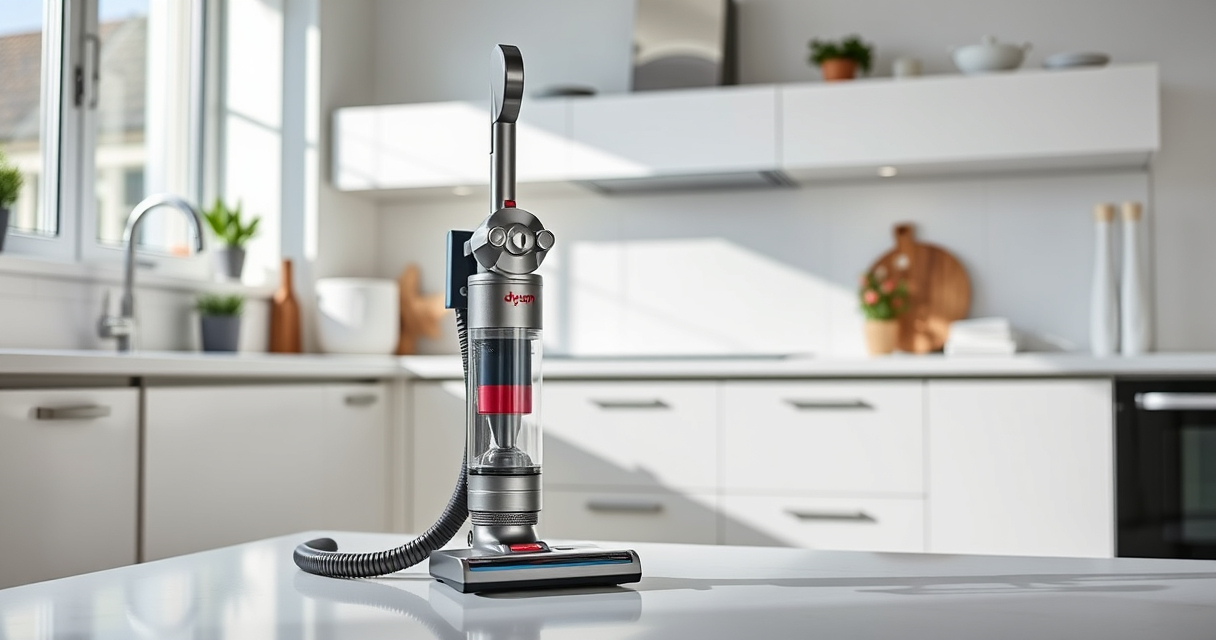
If your Dyson V15 Detect™ Origin Cordless Vacuum is pulsing on and off during use, it can be frustrating and impact cleaning performance. This issue typically indicates a problem with airflow, filters, or the motor. Fortunately, many causes are easy to diagnose and fix with basic troubleshooting steps.

Get home appliances delivered free with Prime
- Fast, free delivery on millions of items
- Prime Video, Amazon Music and more included
- Member-only deals all year
In this guide, you’ll learn how to identify the root cause of pulsing, safely troubleshoot your vacuum, and restore optimal operation without risking damage to your device.
Key Takeaways
| Airflow obstruction | Clogged filters or blockages can cause pulsing. |
| Dirty filters | Filters need regular cleaning or replacement. |
| Battery or motor issues | Electrical or motor faults may trigger pulsing. |
| Proper maintenance | Regular filter checks and cleaning improve performance. |
Step 1: Turn Off and Unplug Your Dyson Vacuum
Before troubleshooting, ensure your vacuum is turned off and unplugged from the charging dock or power outlet. Safety first to avoid electrical shock or damage during inspection.
Step 2: Check and Clean the Filters
- Remove the pre-filters from the vacuum according to the user manual.
- Rinse the filters with cold water, ensuring all dirt and debris are washed away.
- Allow the filters to air dry completely—this may take up to 24 hours.
- Reinstall the filters once dry, ensuring they fit snugly.
Dirty or clogged filters can restrict airflow, causing the vacuum to pulse. Regular cleaning (every 2-3 months) maintains optimal performance.
Step 3: Inspect for Blockages or Clogs
- Check the wand, cleaner heads, and hose for obstructions.
- Remove any debris or tangled hair that might be blocking airflow.
- Use a flexible brush or the crevice tool to clear hard-to-reach spots.
Blockages can cause the motor to strain, resulting in pulsing. Clearing these ensures smooth airflow and consistent suction.
Step 4: Examine Battery and Motor
If the filters and airflow are clear, but pulsing persists, consider the battery and motor health. Ensure the vacuum is fully charged and that the LCD screen shows normal operation. If the vacuum overheats or the motor sounds abnormal, professional servicing may be needed.
Tips and Warnings
- Always handle filters gently to avoid damage.
- Avoid rinsing filters with hot water or using harsh detergents.
- Consult the user manual for specific filter removal instructions.
- If pulsing continues after cleaning and clearing blockages, contact Dyson support for further assistance.
The Products in This Guide

Dyson V15 Detect™ Origin Cordless Vacuum
- ✔ Battery Life: up to 60 mins
- ✔ Filter Replacement: every 2-3 months
- ✔ Cleaning Range: up to 15-20 ft

LANMU Crevice Tool Vacuum Attachments Compatible
- ✔ Nozzle Width: 1.5 inches
- ✔ Flexibility: High
- ✔ Attachment Type: Crevice tool
Dyson V15 Detect™ Origin Cordless Vacuum
<p>The Dyson V15 Detect™ Origin is a powerful, intelligent cordless vacuum designed for whole-home cleaning. Its features include a laser to reveal invisible dust, a powerful digital motor, and an LCD screen for real-time monitoring. Proper maintenance, including filter cleaning, is essential for consistent pulsing-free operation.</p>
Pros:
- High suction power
- Intelligent debris detection
- Long battery life
- Versatile cleaning heads
Cons:
- Filters require regular cleaning
- Can be heavy for some users
- Costly replacement filters
Best for: Deep cleaning homes with pets or heavy debris
Not ideal for: Light, quick cleanups or users seeking ultra-lightweight models
Bottom line: Regular maintenance ensures your Dyson V15 Detect performs optimally without pulsing issues.
LANMU Crevice Tool Vacuum Attachments Compatible
<p>The LANMU Crevice Tool Vacuum Attachments are compatible with Dyson models including the V15 and V12. They feature a slim, flexible design that helps reach tight corners and hard-to-access spots, making them a valuable addition for thorough cleaning.</p>
Pros:
- Narrow nozzle for tight spaces
- Easy to attach and use
- Suitable for cars, furniture, and corners
- Made of durable material
Cons:
- May not fit older Dyson models
- Additional purchase needed
Best for: Cleaning corners, edges, and tight spots
Not ideal for: General cleaning or large debris
Bottom line: A versatile tool that helps reach those tricky spots for a thorough clean.
Frequently Asked Questions
Why is my Dyson pulsing on and off during use?
This often indicates airflow restrictions, such as clogged filters or blockages, or motor issues. Troubleshooting with filter cleaning and clearing obstructions usually resolves the problem.
How often should I clean or replace the filters?
Pre-filters should be cleaned every 2-3 months, while post-filters may need replacement less frequently, depending on usage. Always follow the manufacturer’s recommendations for optimal performance.
Can I fix pulsing issues myself?
Yes, most causes like clogged filters or blockages can be addressed at home with simple steps. However, if the issue persists after troubleshooting, contacting Dyson support is advised.
Is it safe to wash the filters?
Yes, most Dyson filters are washable. Rinse with cold water, ensure they are completely dry before reinstalling, and avoid hot water or detergents that could damage the filters.
Keep Your Dyson Vacuum Running Smoothly
Proper maintenance and timely troubleshooting can prevent pulsing issues and ensure your Dyson V15 Detect™ operates at peak performance. Regularly check filters, clear blockages, and service when needed to enjoy powerful, consistent cleaning without interruptions.
Affiliate disclosure: As an Amazon Associate we earn from qualifying purchases. Prices and availability are accurate as of the time of publishing.
NFL season / tailgating Picks
team gear
As an affiliate, we earn on qualifying purchases.