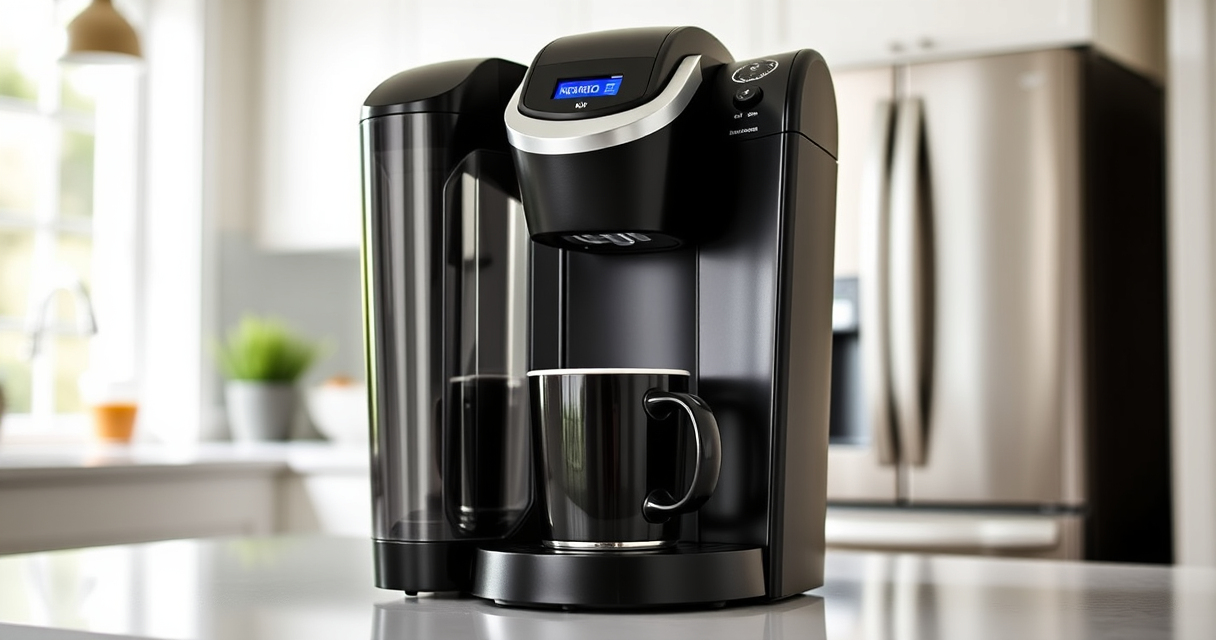

If your Keurig K-Mini is brewing coffee that tastes off or flat, it can be frustrating. Often, simple maintenance and troubleshooting steps can restore your coffee’s flavor. This guide walks you through the causes and fixes to ensure your brew is fresh and enjoyable every time.
From cleaning to descaling, learn how to identify issues and implement effective solutions safely and efficiently.
Key Takeaways
| Regular Cleaning is Key | Residue buildup can cause bad taste; clean your machine regularly. |
| Descaling Extends Lifespan | Mineral deposits impact flavor; descale every 3 months. |
| Use Fresh Water & Quality Pods | Old water or poor-quality pods can affect taste. |
| Check Water Reservoir & Filters | Ensure water reservoir is clean and filters are functioning. |

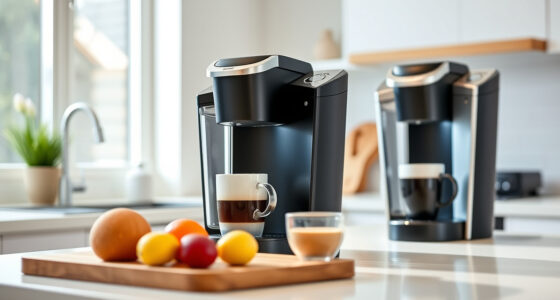
Keurig K-Mini Single Serve K-Cup Pod Coffee Maker, 6 to 12oz Brew size, with Cord Storage, Perfect for Small Spaces, Black
- Compact Design: Fits spaces less than 5 inches wide
- Adjustable Brew Size: Brew 6-12oz cups with Keurig pods
- Removable Water Reservoir: Add fresh water for each brew
As an affiliate, we earn on qualifying purchases.
Step 1: Clean the Brew Area
- Turn off and unplug your Keurig K-Mini for safety.
- Remove the water reservoir and drip tray, then wash with warm, soapy water.
- Wipe the brew head and surrounding areas with a damp cloth to remove any coffee residue or oils.
- Reassemble and run a hot water cycle without a K-Cup to flush out leftover residues.
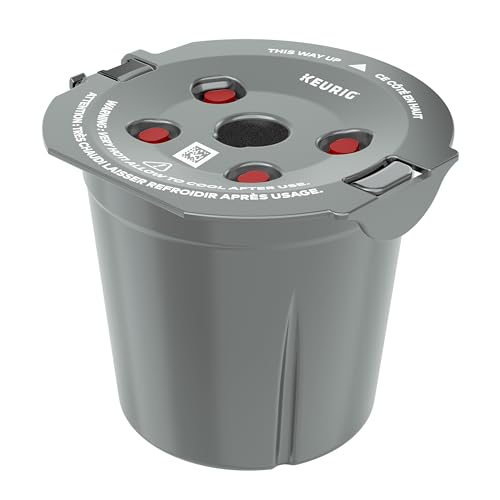
My K-Cup® Reusable Coffee Filter
- Brew with Ground Coffee: Use your favorite ground coffee
As an affiliate, we earn on qualifying purchases.
Step 2: Descale Your Keurig
- Fill the water reservoir with a descaling solution or a mixture of equal parts white vinegar and water.
- Place a large mug on the drip tray.
- Run multiple brew cycles (without a K-Cup) until the reservoir is empty.
- Rinse the reservoir thoroughly and refill with fresh water.
- Run 2-3 rinse cycles with just water to remove vinegar or descaling solution taste.
Step 3: Check and Replace Water Filters
If your Keurig uses a water filter, ensure it is clean and not clogged. Replace it if it’s old or dirty, as a clogged filter can impact water flow and flavor.
Step 4: Use Quality Pods & Fresh Water
- Always use fresh, cold water for each brew.
- Opt for high-quality K-Cup pods or your preferred reusable filter with ground coffee.
Additional Tips & Warnings
- Run a cleaning cycle weekly if you brew frequently.
- Avoid using flavored or oily grounds in reusable filters to prevent clogging.
- Use the recommended descaling every 3 months to prevent mineral buildup.
- Never forcefully open the machine or tamper with internal parts to avoid damage.
The Products in This Guide

Keurig K-Mini Single Serve K-Cup Pod Coffee Maker
- ✔ Size: Under 5 inches wide
- ✔ Brew Range: 6-12oz
- ✔ Mug Compatibility: Travel mugs up to 7 inches

My K-Cup® Reusable Coffee Filter
- ✔ Use: Ground coffee
- ✔ Material: Plastic & metal
- ✔ Cleaning: Hand wash recommended
Keurig K-Mini Single Serve K-Cup Pod Coffee Maker
The Keurig K-Mini is perfect for small kitchens or offices, offering quick brewing with minimal counter space. Its simple design makes cleaning and maintenance straightforward, helping to keep your coffee tasting fresh.
Pros:
- Space-saving design
- Brews 6-12oz cups
- Removable drip tray
- Fast brew time
Cons:
- Limited water reservoir capacity
- No on/off button
- No digital display
Best for: Small households, offices, dorms
Not ideal for: Large families or high-volume brewing
Bottom line: Compact, reliable, ideal for small spaces with quick, quality brews.
My K-Cup® Reusable Coffee Filter
The My K-Cup® Reusable Coffee Filter allows you to brew ground coffee, giving full control over flavor and strength. It’s a great addition to prevent taste issues caused by old or low-quality pods.
Pros:
- Customizable coffee strength
- Cost-effective long-term
- Eco-friendly
- Compatible with Keurig K-Mini
Cons:
- Requires ground coffee setup
- Cleaning after each use
- Slightly more effort than pods
Best for: Coffee enthusiasts seeking control
Not ideal for: Quick, no-fuss brewing
Bottom line: A reusable filter that boosts flavor and reduces waste.
Frequently Asked Questions
Why does my Keurig coffee taste bad even after cleaning?
Mineral buildup or old descaling solution can affect flavor. Regular descaling and cleaning are essential to maintain taste.
How often should I descale my Keurig K-Mini?
Descale every 3 months or after approximately 60 uses to prevent mineral deposits that can impact flavor.
Can I use ground coffee instead of K-Cups?
Yes, with a reusable filter like the My K-Cup®, you can brew your own ground coffee for fresher, more customizable flavor.
What should I do if my Keurig is not brewing properly?
Check for clogs, clean the brew area, and descale if necessary. Also, ensure the water reservoir is filled and properly seated.
Revive Your Coffee Experience with Simple Maintenance
With regular cleaning, descaling, and using fresh water and quality pods, you can dramatically improve the taste of your Keurig coffee. These straightforward steps ensure your brewer functions optimally, delivering the flavorful brew you expect every time. Keep up with routine maintenance, and enjoy perfect coffee from your Keurig K-Mini.
Affiliate disclosure: As an Amazon Associate we earn from qualifying purchases. Prices and availability are accurate as of the time of publishing.